Header and Footer Layouts in MyHome IDX
How the header and footer layout works, and how to give one page a different one.
Written by IDX Plugin, an independent IDX Broker Developer Partner, not affiliated with IDX Broker.
On this page
In short
- Change your header once and the whole site follows.
- Swap the logo, menu and header buttons in Elementor.
- Your IDX Broker pages carry your header and footer too.
- Give one page a blank frame, no header or footer at all.
What a layout is
Your header and footer are a design built in Elementor, called a layout, and every WordPress page renders inside it. Change the layout once and the whole site follows.
They sit in MyHome IDX in the WordPress menu, then Header & Footer. An imported demo gives you two, Layout, which holds the header and footer you see on the site, and Layout without header and footer, which is deliberately empty.
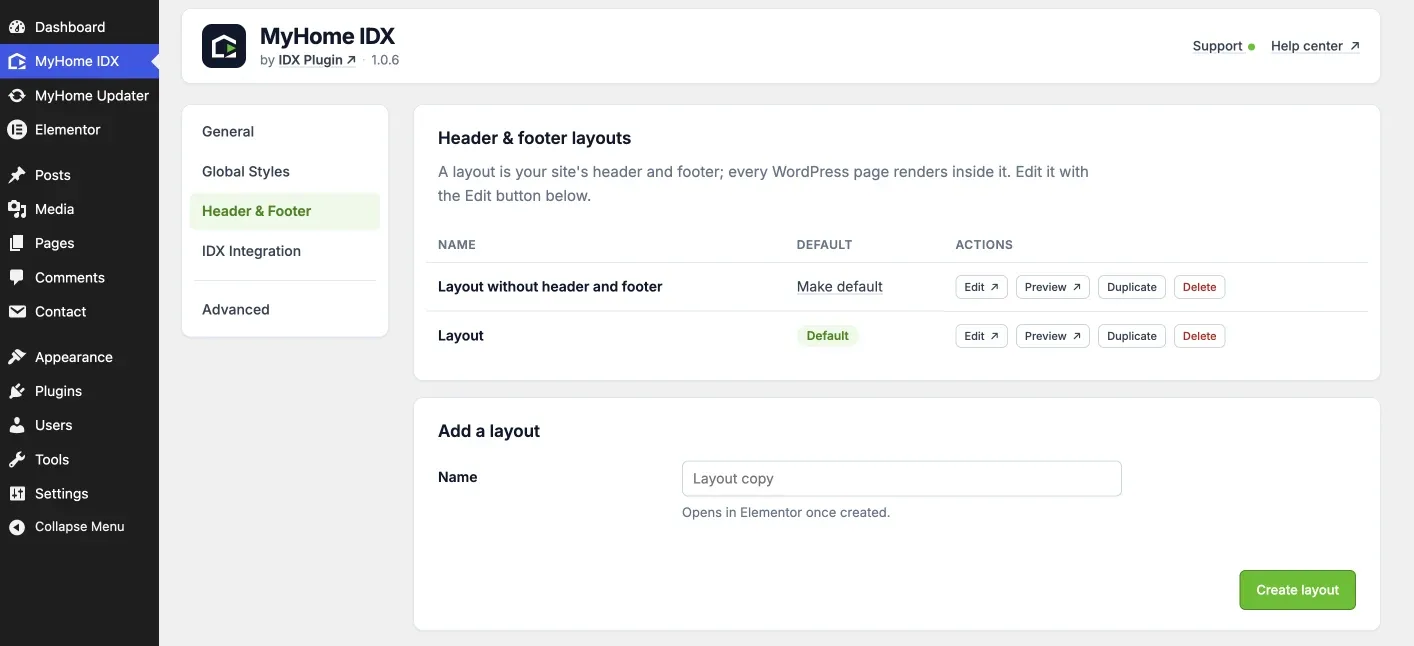
The four actions
- Edit opens the layout in Elementor.
- Preview opens it on the front end.
- Duplicate makes a copy you can redesign without losing the original.
- Delete removes one, and only appears when you have more than one layout of that kind.
Under the list, Add a layout takes a name and opens it in Elementor on an empty canvas.
Browsing any page as an administrator, open Edit with Elementor in the WordPress toolbar and choose Layout to go straight into the header and footer of the page you are looking at.
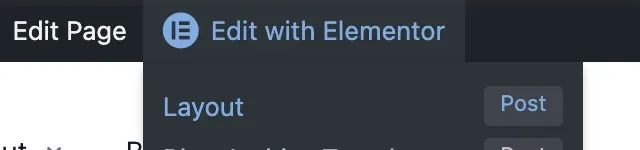
Inside the layout
The header is a single Elementor widget. Its settings hold the menu it shows, the logo and the sticky logo, light or dark style, the height of the bar and of the logo, the full width switch, the width at which it collapses into a mobile menu, and the two buttons on the right.
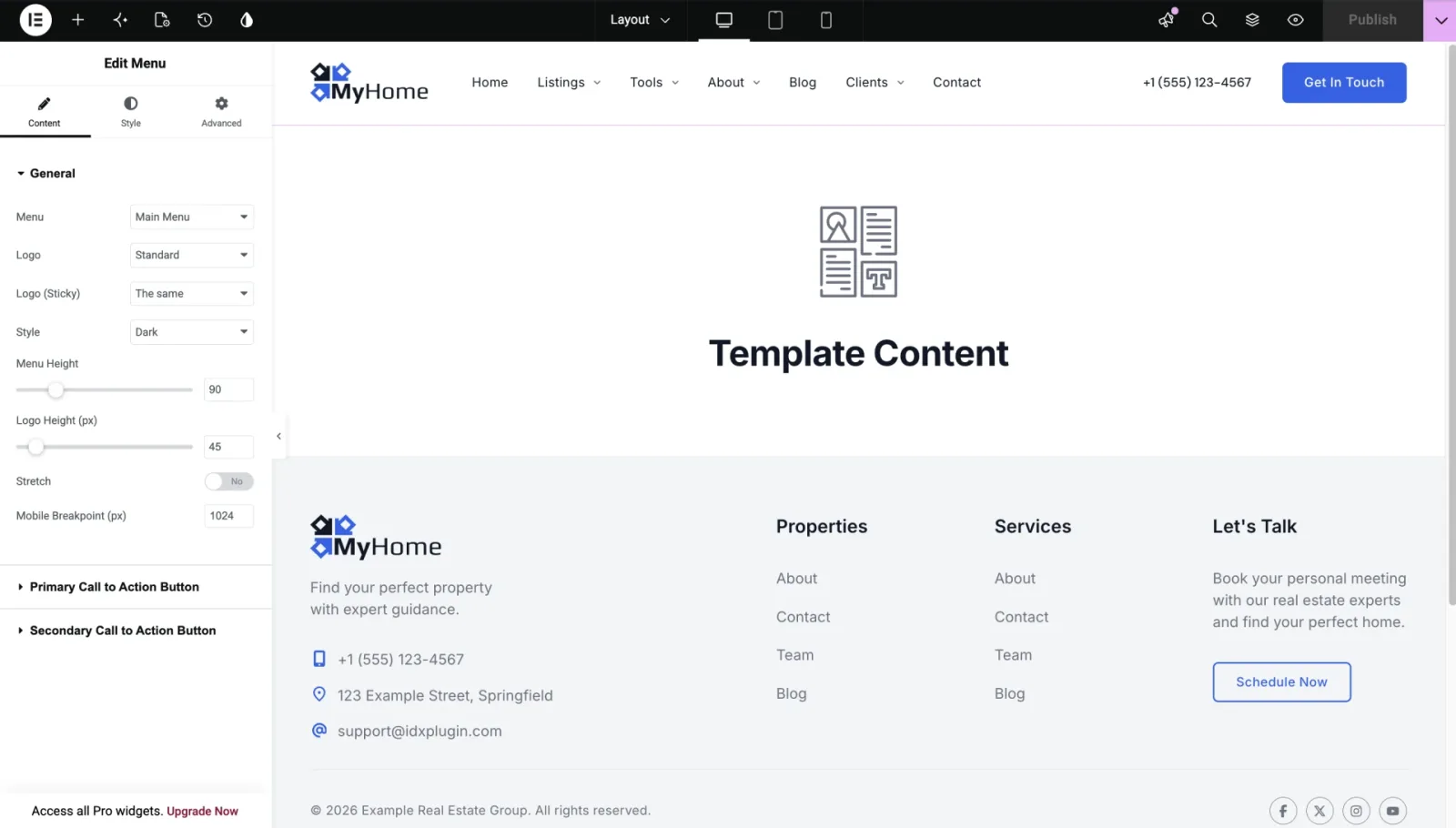
Between the header and the footer, the block marked Template Content is where each page's own content lands.
The footer has no special widget. The columns, link lists, tagline and contact line are ordinary Elementor content, so click the text and type.
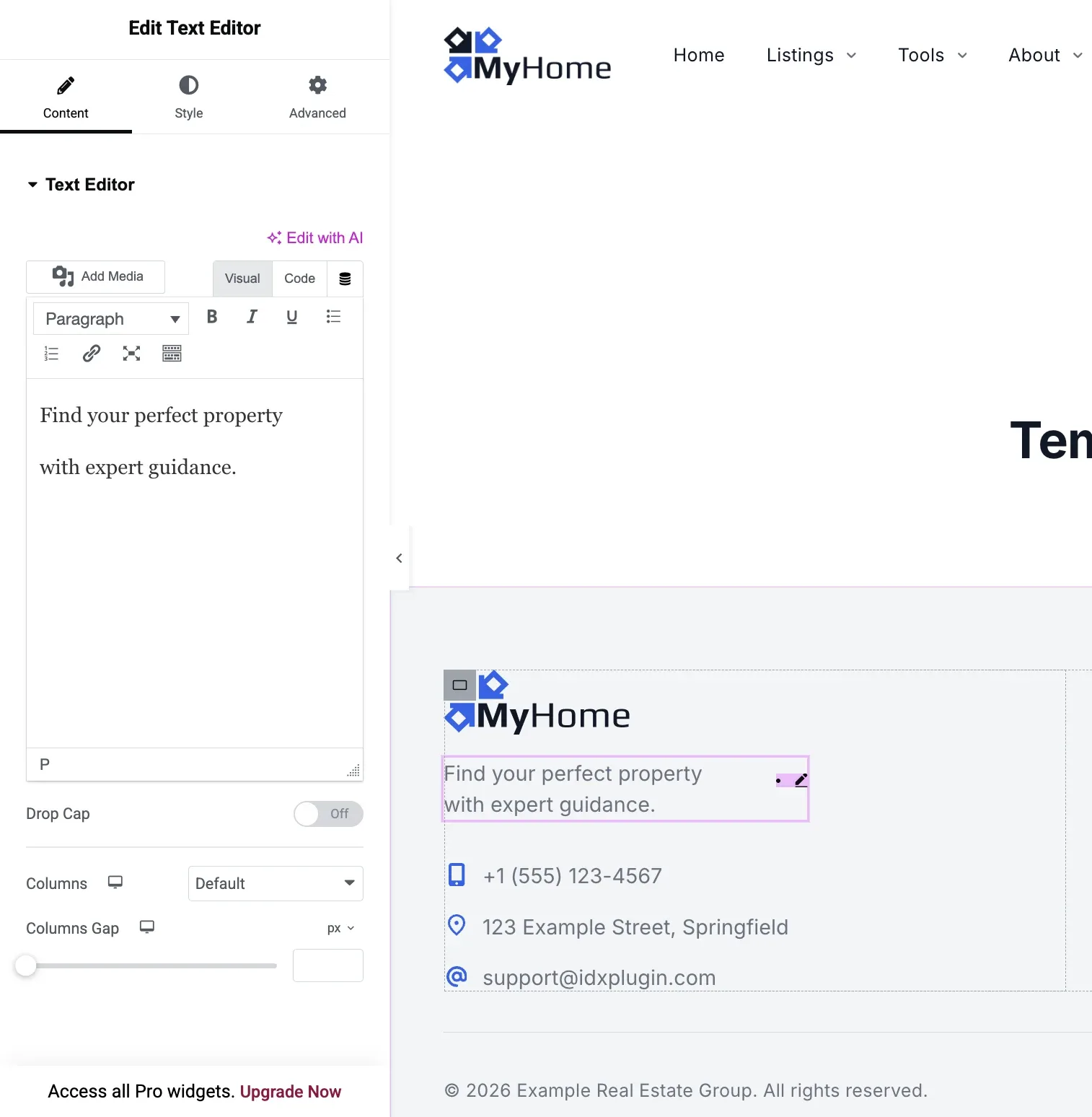
The email, phone and address on General in the panel are what the theme prints where it needs them, and a footer built in Elementor can carry them as typed text as well. When a phone number changes, check both.
The default, and the empty one
One layout carries the Default badge, and that is the one every page uses unless it has been told otherwise. To hand the badge to another layout, click Make default in its row.
Layout without header and footer is empty on purpose. Assign it to a page and that page renders with nothing above or below it.
Give one page a different layout
Open the page in Elementor and go to the page settings, the gear icon at the bottom of the left panel. The Layout dropdown lists every layout you have, and the page uses the one you pick instead of the default.
Your IDX Broker pages use one too
Search results, property details and the rest of the IDX Broker pages are not WordPress pages, but they render inside one of your layouts, which is how they carry your header and footer. You choose which one on the IDX Broker Pages screen, covered in Your IDX Broker Pages in MyHome IDX.
IDX Broker keeps its own cached copy of your header and footer, and saving in WordPress does not refresh it. After editing the layout, open MyHome IDX then IDX Design Sync and click Clear IDX Broker cache.
Want the header to match your brand exactly?
Send us your logo and colors, or the address of a site whose header you like, and our specialist shapes the layout for you. It is part of the free service.
Contact support Free with your IDX Broker account.