Add Listing Widgets to Wix
How to put live MLS listing cards on any Wix page, from the homepage to community pages.
Written by IDX Plugin, an independent IDX Broker Developer Partner, not affiliated with IDX Broker.
On this page
In short
- Your own listings show as cards on any Wix page.
- Each page can show its own set: area, price or type.
- Cards stay current from your IDX Broker account.
- The carousel keeps a steady height inside a Wix embed.
This guide covers one task from IDX Plugin for Wix: putting live listing cards on a Wix page. What the cards can do, lead capture, filtering and layout options, is covered in Listing Showcase and Listing Carousel. Here you get the Wix-specific part.
Why the carousel works best on Wix
Wix embeds widgets in iframes, which do not support fluid height, so a tall grid can end up scrolling inside its own box. The carousel is the better fit here: one row of cards with navigation arrows, a consistent height, and a self-contained layout that displays cleanly. It is a separate widget, so you pick the carousel from the start rather than converting a grid.
This is the carousel running live. Use the arrows to move through the cards, exactly as visitors will on your Wix page.
Add the widget to your page
-
1
Choose a widget
In your IDX Plugin dashboard you will find a set of ready widgets, already running on the listings from your IDX Broker account. You can also create your own for specific locations, price ranges or property types. For this guide, click Edit on one of the listing carousel widgets.

-
2
Configure which listings it displays
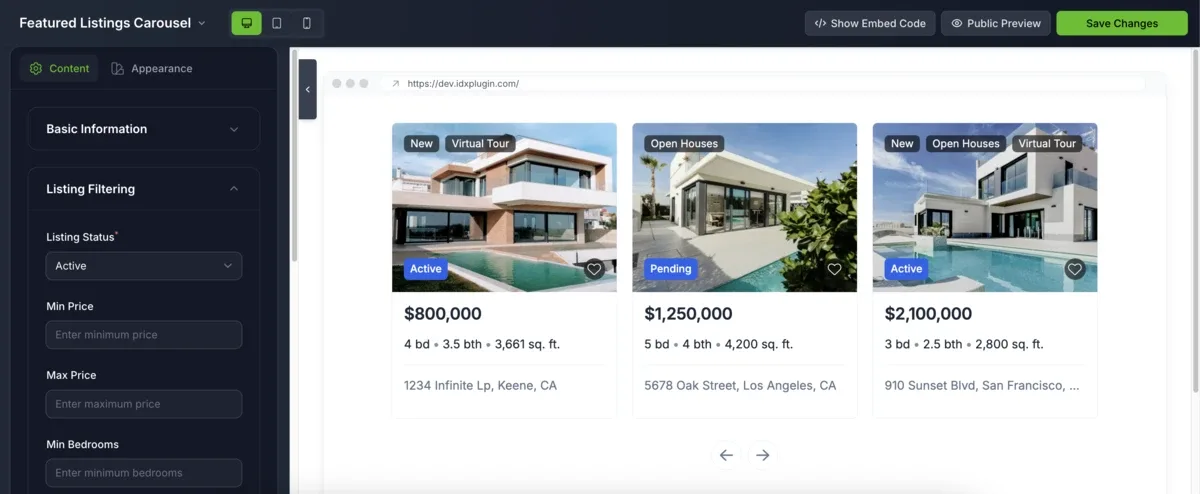
Use the filtering options to control what appears: location, price, property type and more. Fine-tune the appearance too, including columns, spacing, image ratio and label styles.
-
3
Get the embed code
Click Show Embed Code and copy the snippet.
-
4
Embed it in Wix
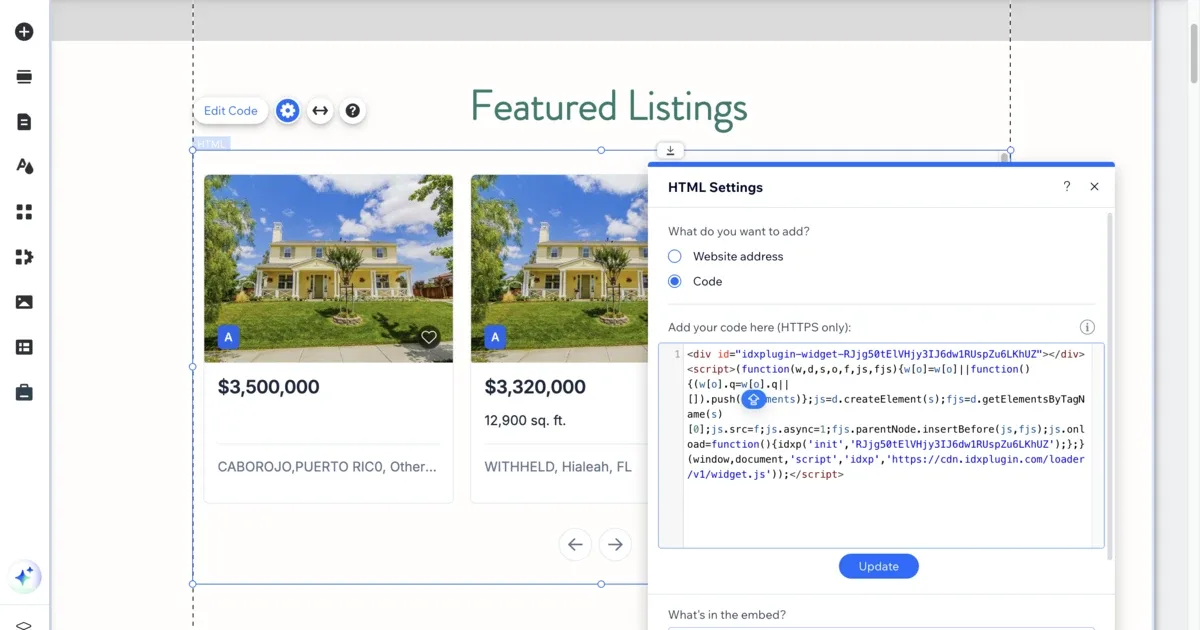
Back in the Wix editor, add an Embed HTML element where the listings should appear, paste the code and click Update. The cards render with the listings from your IDX Broker account.
One widget per page idea
A widget can go on any Wix page, not just the homepage. Community pages, a luxury page, a page for one price bracket, each gets its own widget with its own filters, and each updates itself from your IDX Broker account.
Already on IDX Broker? Try the cards on your own listings.
Create a free IDX Plugin account, add your IDX Broker API key, and the styled carousel is ready in your dashboard, filled with your own listings. Open a preview and see how the cards will look before you place anything on Wix.
See it on your own listings No extra invoice. You only pay IDX Broker.