AI Search Form, How It Works
See what the AI form does, where it fits on your site, and how to add it, with a live version to try right here.
Written by IDX Plugin, an independent IDX Broker Developer Partner, not affiliated with IDX Broker.
On this page
In short
- Visitors search in plain words, typos included.
- Each search opens live results from your own listings.
- Example phrases let people search without typing.
- Best used next to your main search form.
What it does
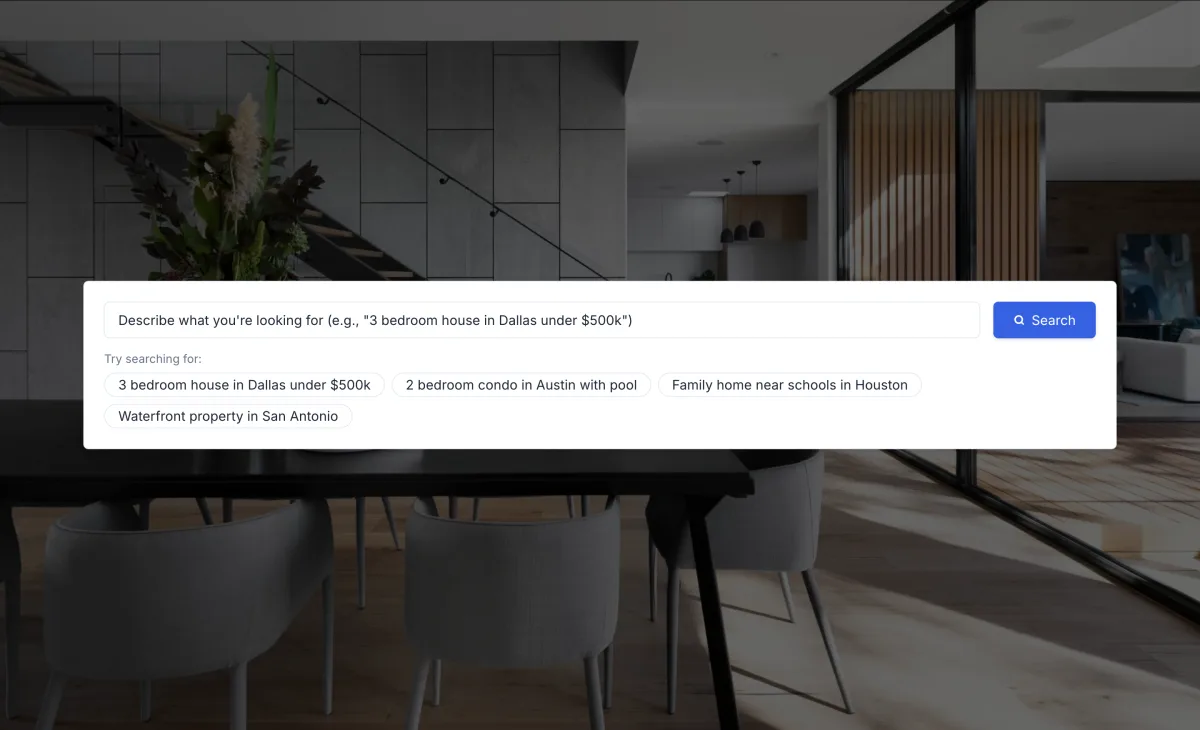
Visitors write the way they speak, even with typos, like "San Diago 2 bedroom under 500k". The form reads the intent, fills the matching filters and opens the results, powered by the same search engine as every other layout in Search Forms, Every Layout Explained. It fills the filters it understands and leaves the rest blank. Curated example phrases sit under the input, so people can run a quick search without typing anything.
This is the real form, running live below. Type a phrase or click one of the examples, and the results open on our demo site.
Where to place it
Most sites use it as an extra next to their main search, and it makes the site feel current. A good spot is a section of its own on the homepage, a landing page, or a page aimed at first-time buyers who think in sentences rather than filters. It is a widget like any other, so it can sit on as many pages as you like.
Add it to your site
The form embeds like every widget: one small code from your dashboard into your platform's HTML element, as shown in Find and Paste Your IDX Embed Codes. The WordPress, Wix, Squarespace and Webflow categories have the exact clicks for each editor, and Adjust Search Form Fields and Appearance covers styling it to your brand.
Already on IDX Broker?
Create a free IDX Plugin account, add your IDX Broker API key and the AI Search Form runs on your own listings in minutes, next to every other layout.
Get the widgets, it's free No extra invoice. You only pay IDX Broker.