Publish Your Website on Your Own Domain
The steps to take your website live on a domain you own, and what changes when you publish.
Written by IDX Plugin, an independent IDX Broker Developer Partner, not affiliated with IDX Broker.
In short
- Your site goes live on your own domain, with SSL in place.
- Add one DNS record at your registrar and we take it from there.
- The site stays PIN protected until every step has succeeded.
- Your IDX Broker pages then take their header and footer from here.
Publish it, step by step
-
1
Enter your domain
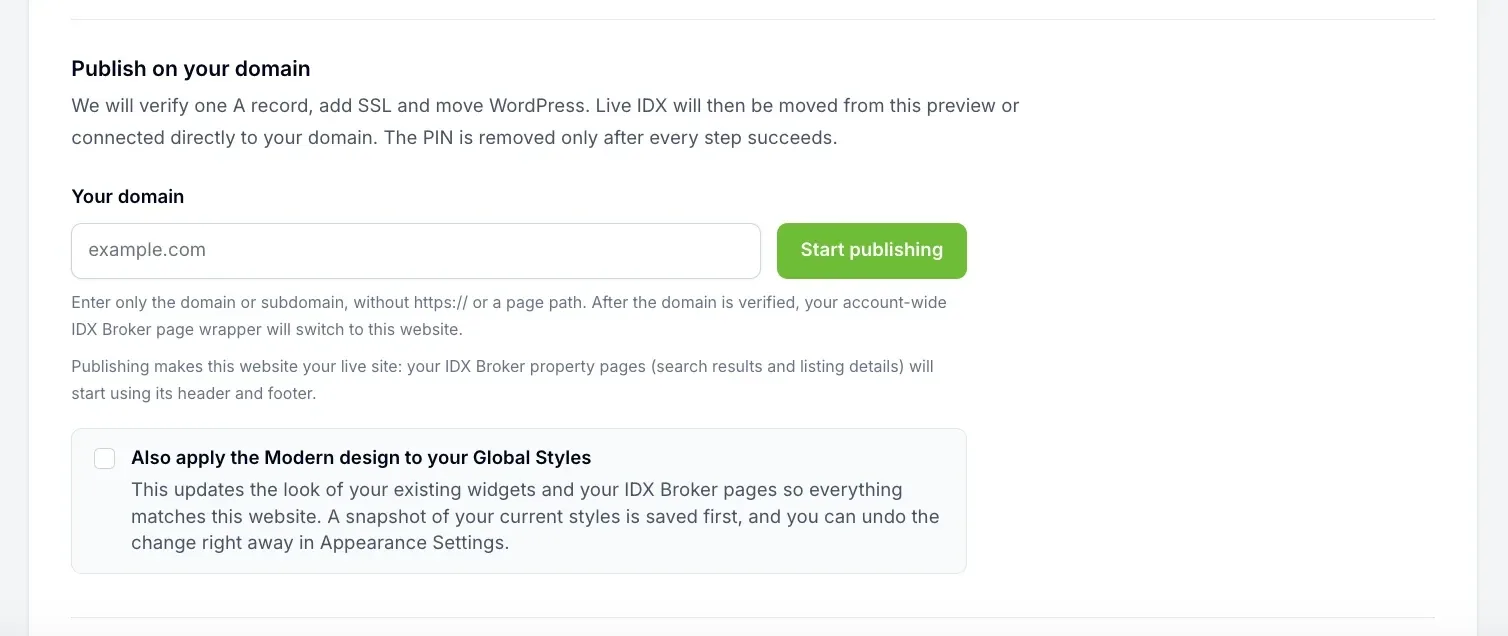
When you are happy with your Complete IDX Website, enter your domain in the Publish on your domain field and start publishing. Type the domain or the subdomain only, with no https:// and no page path, for example yourdomain.com or homes.yourdomain.com.
-
2
Add one DNS record at your registrar
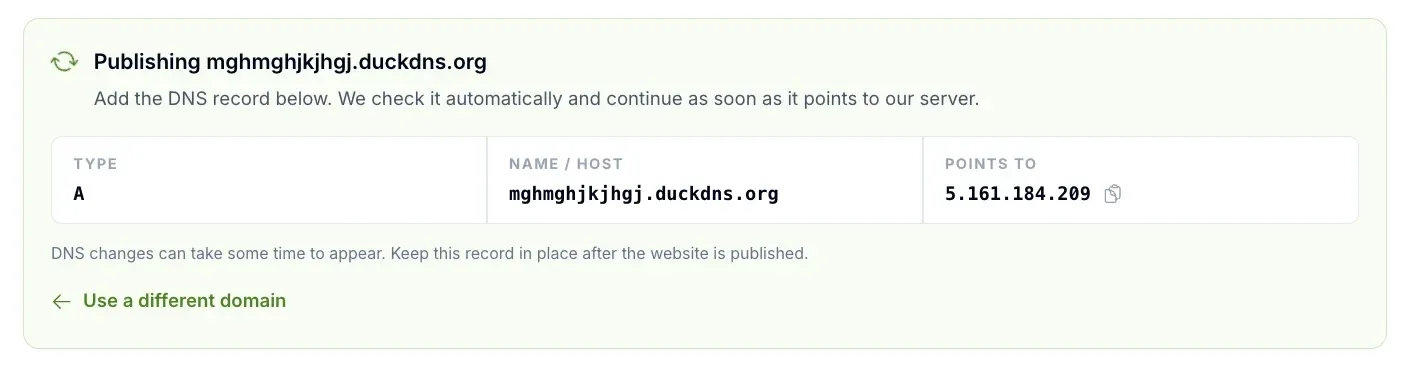
We show a single A record: the type, the name or host, and the IP address it has to point to. Add it wherever your domain is managed. Keep that record in place after the website is published. If you typed the wrong name, Use a different domain takes you back.
-
3
Wait for the automatic check
We check the record automatically and continue as soon as it points to our server, so there is no button to press and nothing to report back. DNS changes take time to spread, often a few hours and sometimes up to a day or two, so waiting here is normal.
-
4
SSL and the move to your domain
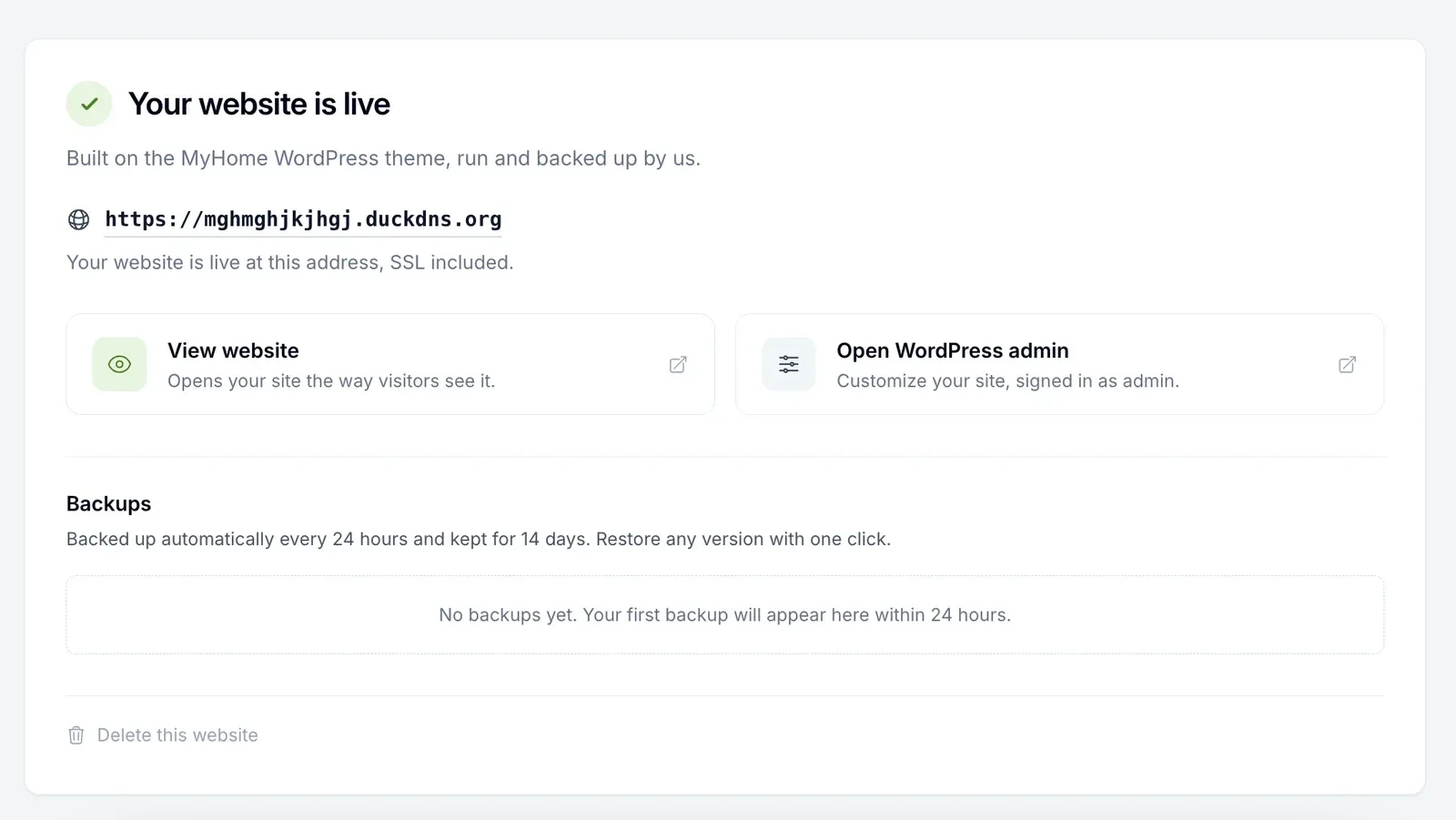
Once the record is verified we add SSL and move WordPress to your address. The PIN stays active while this runs and is removed only after every step has succeeded, so the website is not left half published in the open. When it is done the page says your website is live, SSL included.
What publishing changes
Creating the website changes nothing, it lives on its own private address. Publishing is the moment something changes: after your domain is verified, the account-wide IDX Broker page wrapper switches to this website, so your IDX Broker property pages, meaning the search results and the listing details, take their header and footer from here instead of from wherever they took them before. If you already run a site that uses that wrapper, this is the part to plan for. Write to us before you publish if you are unsure, and we go through it with you.
The wrapper puts your header and footer around the IDX Broker pages. What sits inside them still follows your IDX Broker templates, and setting up our templates takes a few minutes and brings that part in line with the rest of the website.
The domain itself
The domain name is the one thing the service does not cover. You buy a name like example.com at any registrar you like and it stays yours, we help with the DNS part. Publishing on a subdomain like homes.yourdomain.com next to your existing site is a common setup, just keep the wrapper switch above in mind.
Want a hand with the DNS?
Tell us where your domain is managed and we walk the record through with you. The publishing itself runs on its own, and you review everything before the site goes live.
Get Started, it's free You only pay IDX Broker. The $100 setup fee is waived through us.