Complete IDX Website, How It Works
What you get when we build and run a MyHome website for you, what we take care of, and what stays yours.
Written by IDX Plugin, an independent IDX Broker Developer Partner, not affiliated with IDX Broker.
On this page
In short
- Pick a demo and it is your site, showing your own listings.
- Hosting, SSL, updates and daily backups stay on our side.
- Full admin access, and you can export the site and move it.
- Free service. You need an IDX Broker account and your own domain.
What it is
A Complete IDX Website is our MyHome theme running as a finished WordPress site that we set up and keep running for you. You do not install a theme and you do not build pages from scratch. You pick one of four demos and that whole site becomes yours, with the IDX search form and listing widgets already showing your own listings from your IDX Broker account. The site is built and connected within minutes on its own private address, and going live on your own domain then takes as long as your DNS needs to update.
What we take care of
The site runs on our servers and we look after the parts most agents would rather not touch. You get the WordPress install, free SSL from the start, on the private preview address and then on your own domain, and automatic backups every 24 hours kept for 14 days. We keep WordPress, the plugins and the theme updated, and there is no traffic or storage limit. You have full administrator access from the first minute, including installing plugins, so it is your site to edit, we just keep it running.
Yours to export
It is a standard WordPress site on the MyHome IDX theme, so the site itself is yours to run wherever you like. Export it and move it elsewhere whenever you want. The IDX part keeps working for as long as you have an IDX Broker account and we are your IDX Broker Developer Partner, and the detail is in Backups, Export and Ownership.
Your domain, and a private preview
The website starts on a private address protected by a PIN, so you and anyone you share it with can look around before it goes public, covered in Share Your Website Privately with a PIN. When you are ready, publish it on a domain you own and we help with the DNS part, covered in Publish Your Website on Your Own Domain.
The four demos
Each demo is a complete design, not an empty page, so you replace the content instead of building layouts. Preview any of them live before you choose, and everything inside can be changed afterwards.
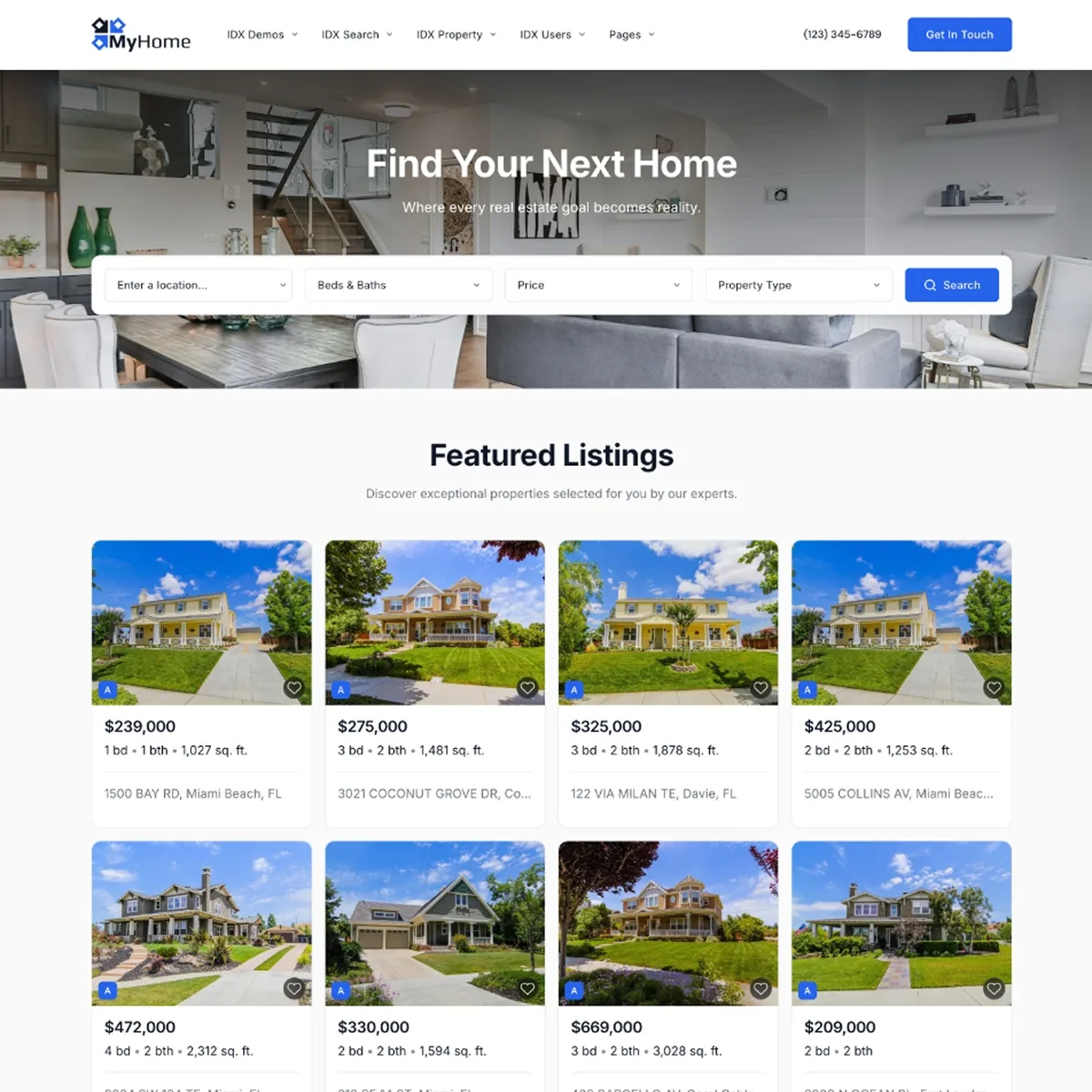
Modern
A clean, contemporary agent or team site. The safest starting point if you are not sure which one fits you.
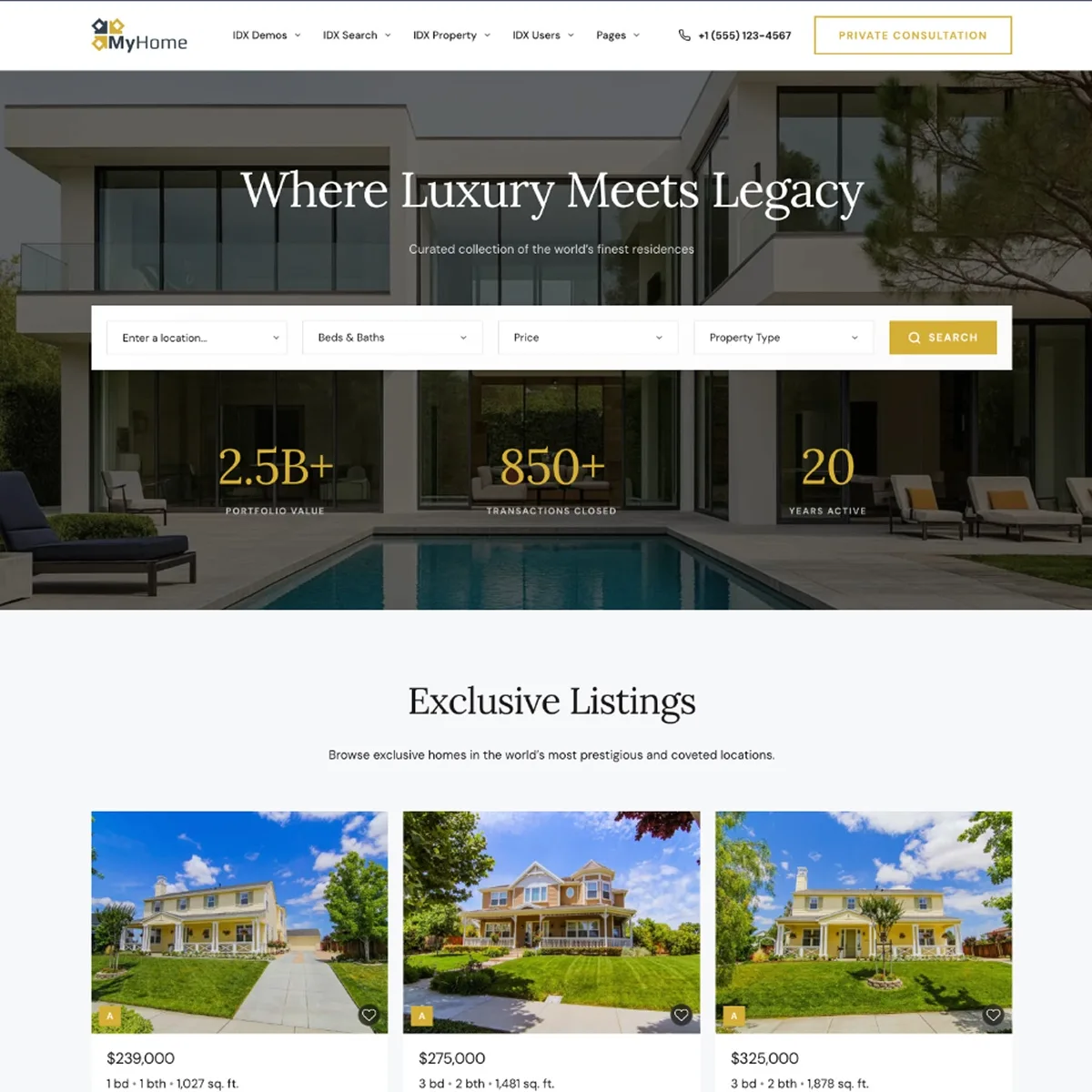
Luxury
Built for high-end listings: darker, more editorial, with more room given to photography.
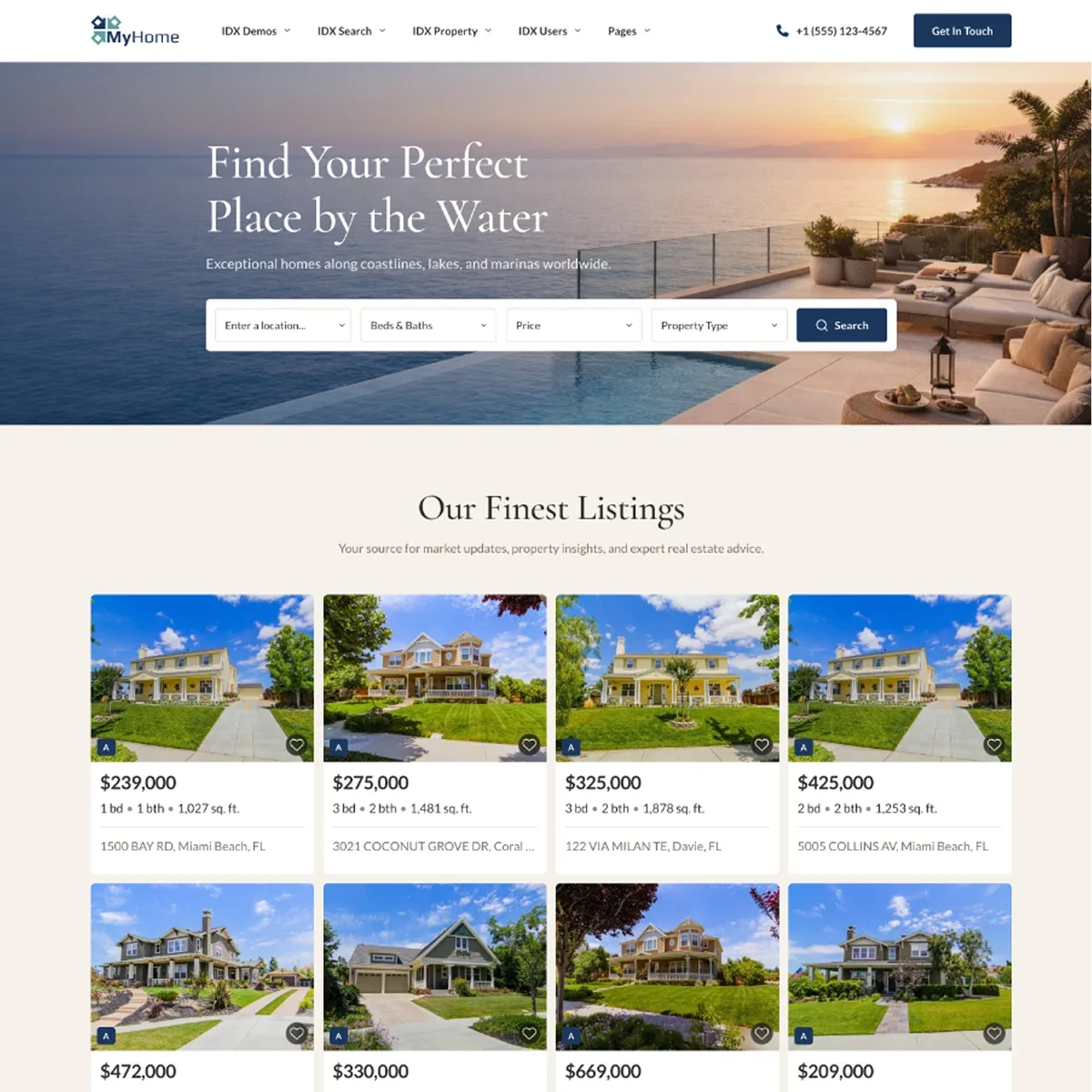
Waterfront
Made for coastal and vacation markets, where location and lifestyle sell the property.
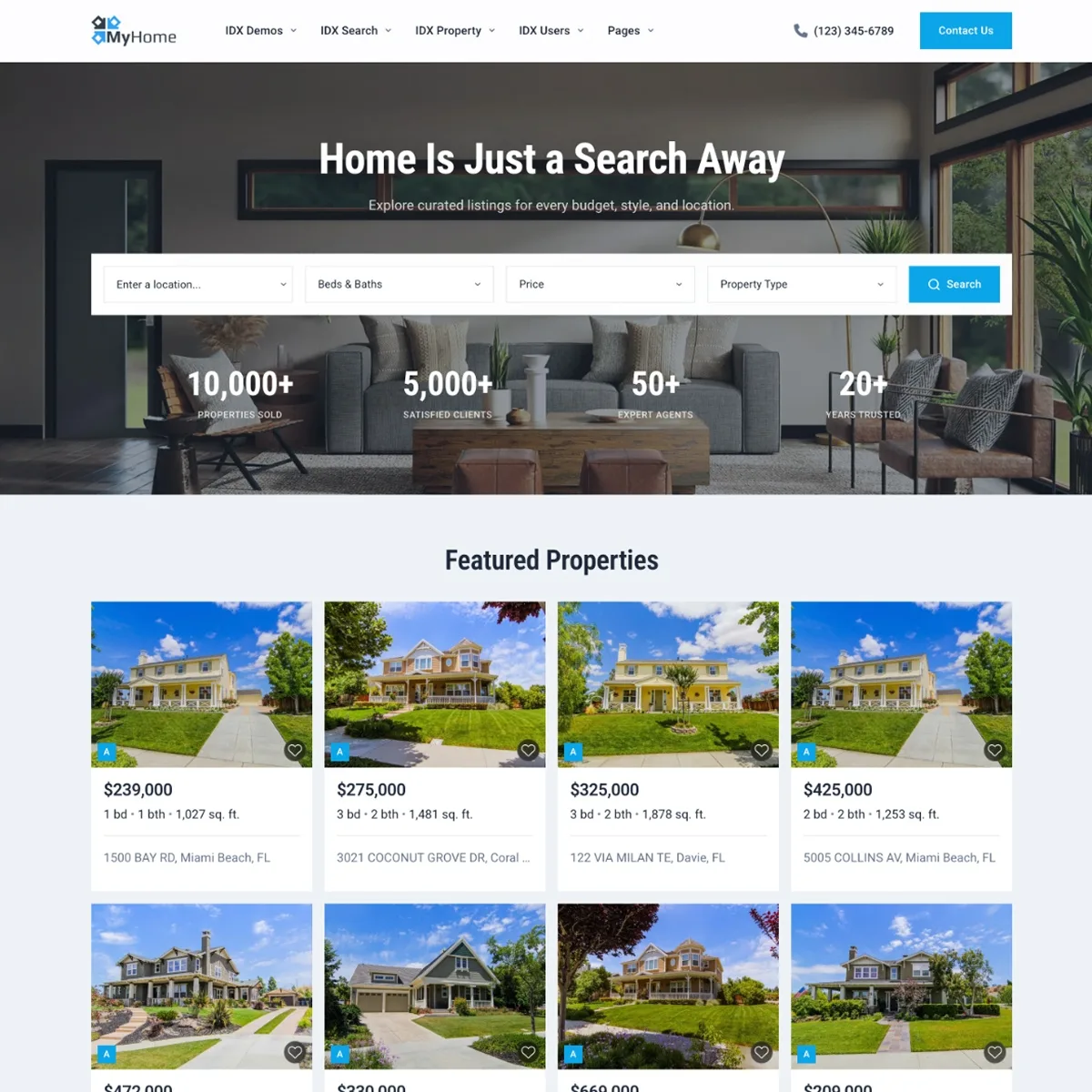
Classic
A straightforward, familiar real estate look. Everything where buyers expect it to be.
Want your IDX website live this week?
Create a free IDX Plugin account, connect IDX Broker and pick a demo. It stays private until you say otherwise, and we help with the content, the domain and the styling.
Get Started, it's free You only pay IDX Broker. The $100 setup fee is waived through us.