MyHome IDX Theme, Install and Overview
Download the theme, upload it in WordPress, install the plugins and import one of the four demos. From the download link to a working real estate site in one pass.
On this page
In short
- Our $79 theme, free for your IDX Broker work.
- Download the zip, no account needed.
- Four plugins install in one go, Elementor included.
- Pick a demo, then connect IDX Broker.
What MyHome IDX is
MyHome IDX is a real estate WordPress theme for people who want to build and own their site themselves. It ships with IDX ready to go, so the search forms, listing widgets and IDX pages described in this help center work out of the box. If you would rather skip the setup entirely, the Complete IDX Website gives you the same theme already assembled.
Download the theme
Start here: download myhome-idx-1.0.3.zip. The file lands in your Downloads folder. Do not unzip it, WordPress wants the zip exactly as it is.
The current version always sits on the MyHome IDX theme page, so it is worth checking there if you are reading this some time later.
Upload it to WordPress
-
1
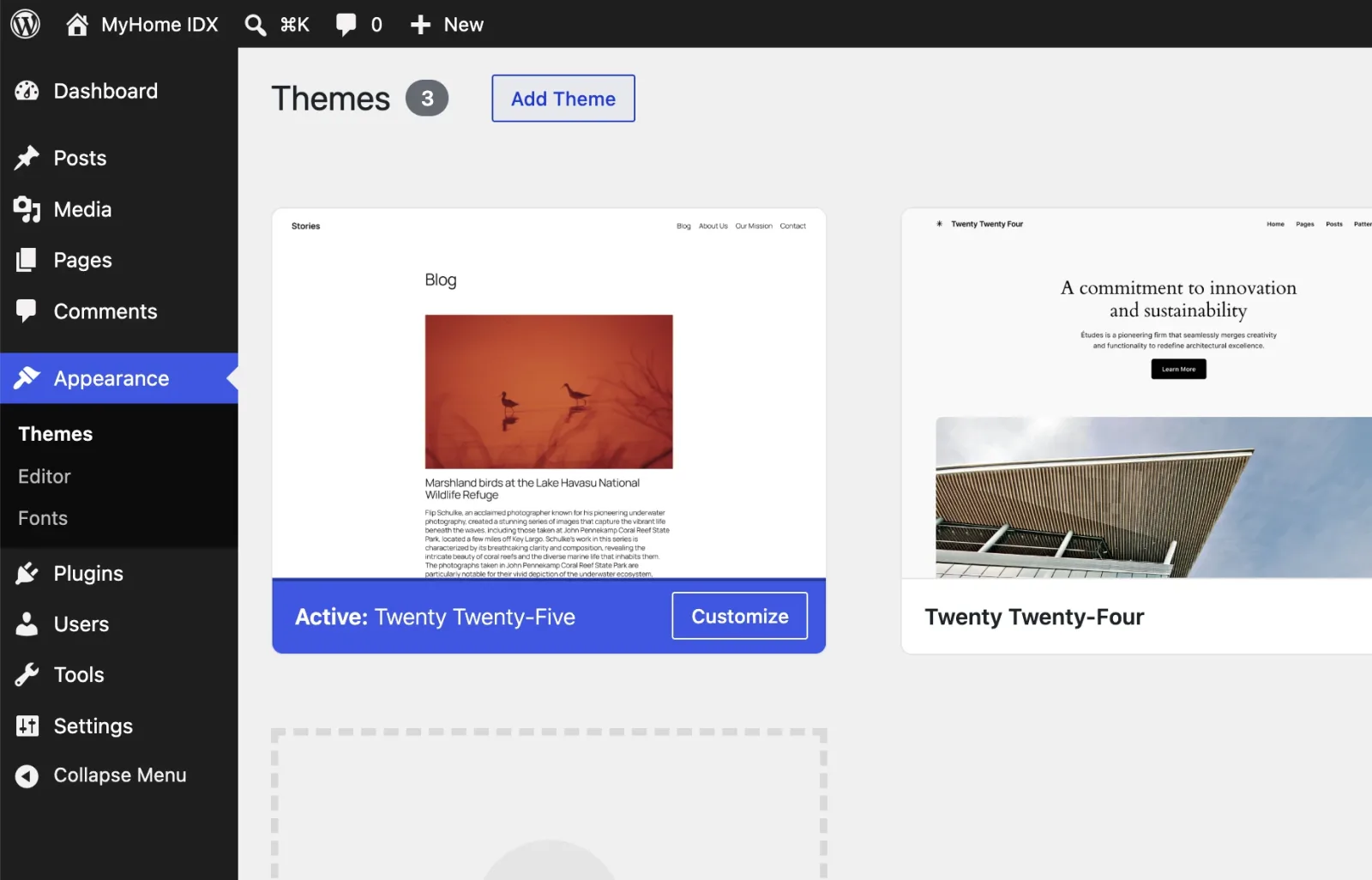
Open Appearance then Themes
Log into your WordPress admin and go to Appearance then Themes. You will see whatever themes came with WordPress. Click Add Theme at the top.
-
2
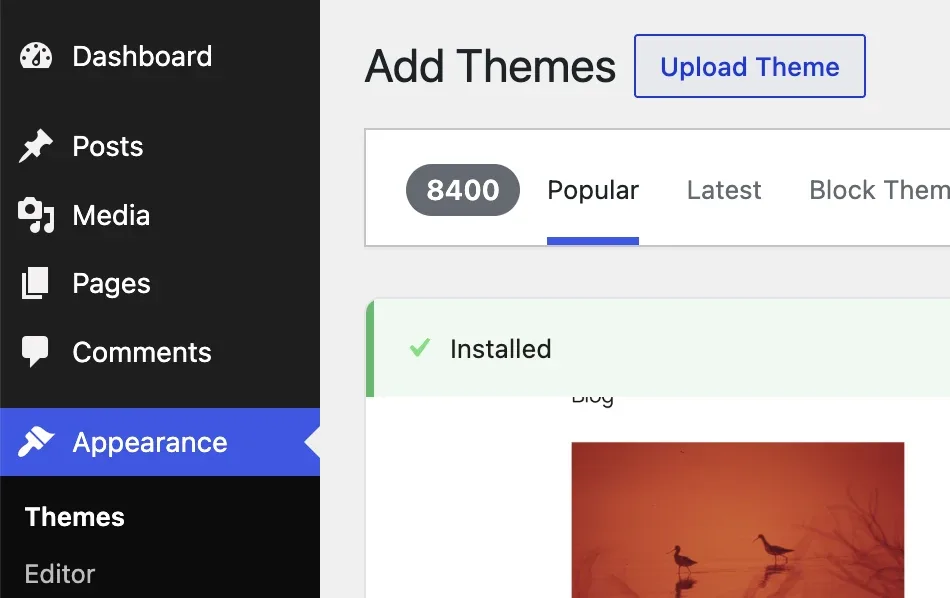
Click Upload Theme
WordPress now shows the public theme directory, which is not where MyHome IDX lives. Click Upload Theme next to the page title to switch to the upload box.
-
3
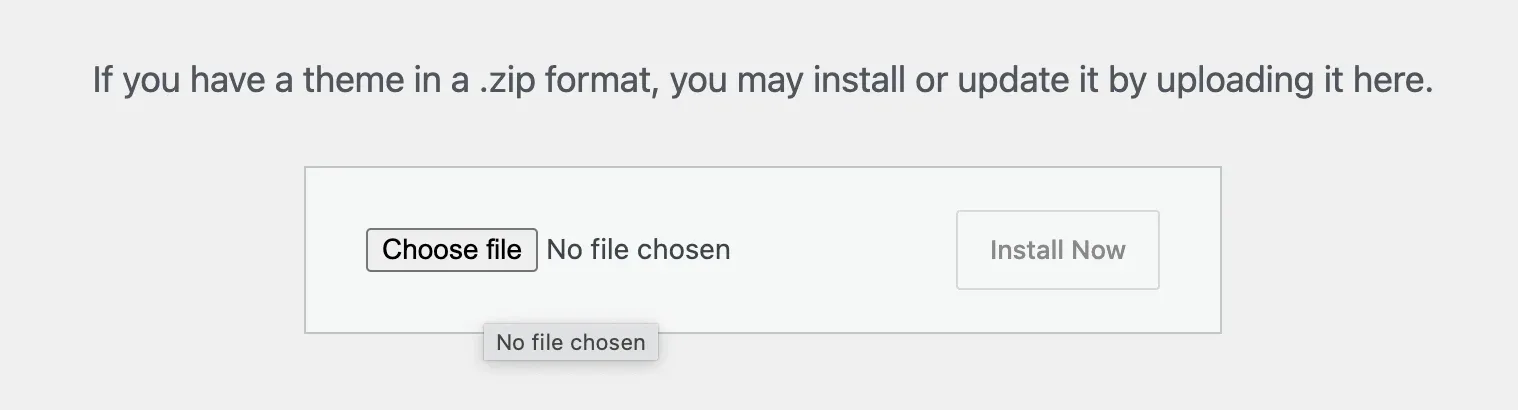
Choose the file
A small panel appears asking for a theme in .zip format. Click Choose file and browse to your Downloads folder.
-
4
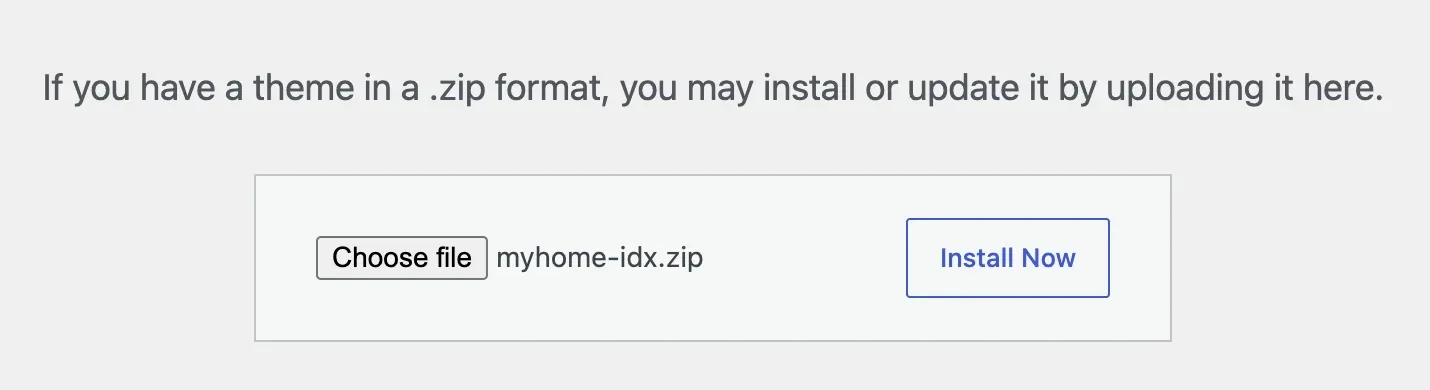
Pick the zip and install
Select myhome-idx-1.0.3.zip. The file name now shows next to the button and Install Now turns blue. Click it.
-
5
Activate the theme
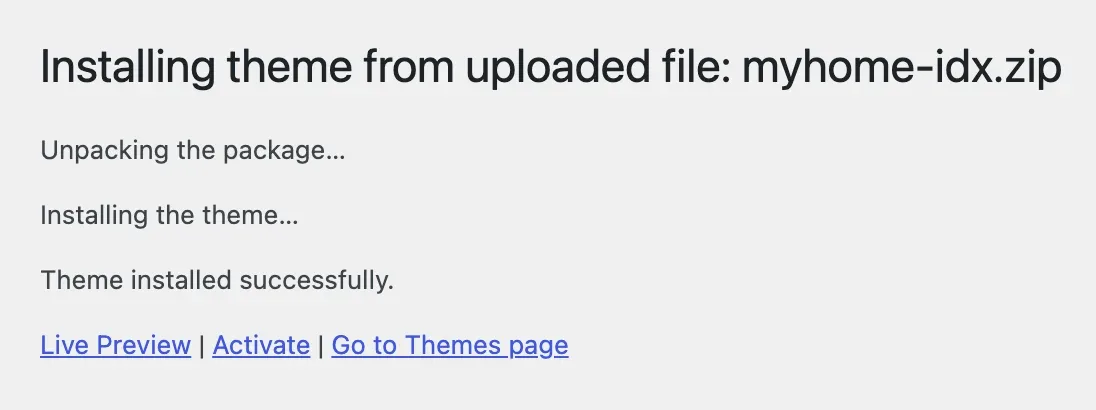
WordPress unpacks the package and confirms that the theme installed successfully. Click Activate. Your site switches to MyHome IDX right away, still empty of content, which the demo import fills in later.
Install the required plugins
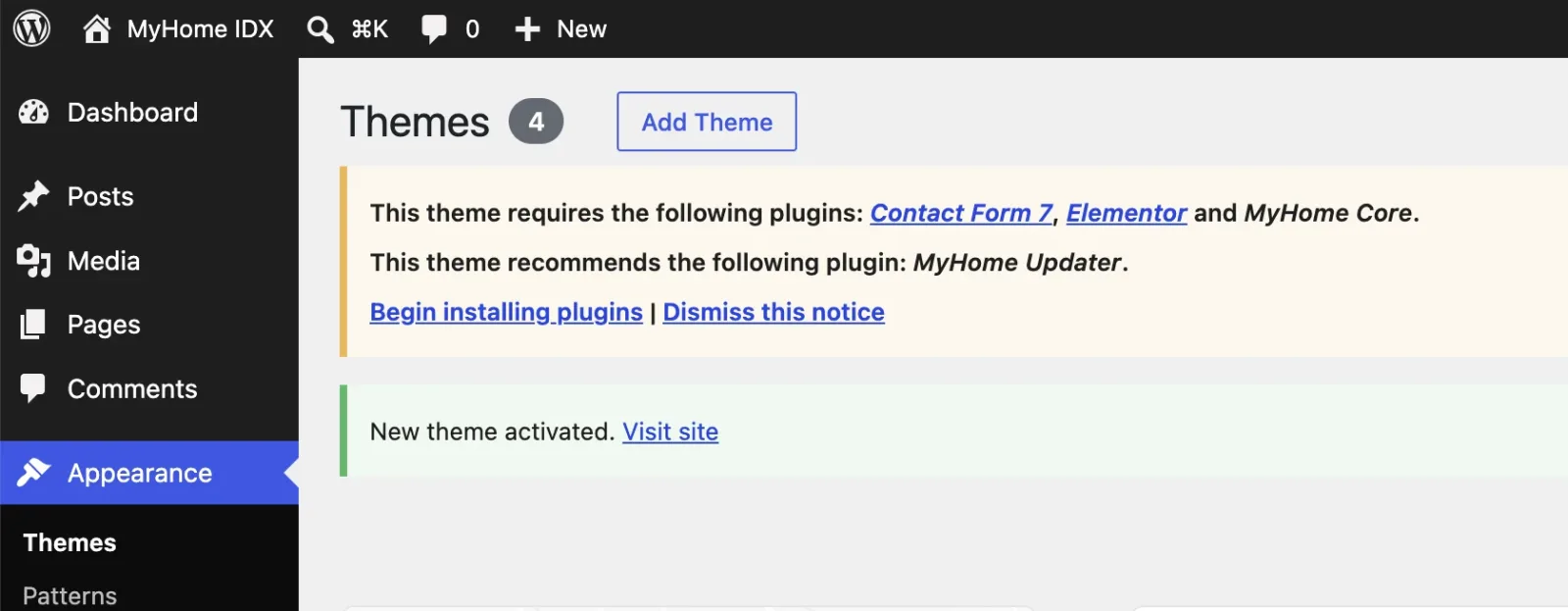
Right after activation WordPress shows a notice listing what the theme needs. It is a short list on purpose, because fewer plugins means fewer things to update and fewer things to break.
- Contact Form 7 handles the contact and enquiry forms on your pages.
- Elementor is the page builder you edit every page with, and the free version is all you need.
- MyHome Core carries the theme's own features and comes inside the package.
- MyHome Updater keeps the theme up to date from your admin, recommended rather than required.
-
1
Open the plugin installer
The yellow notice at the top of the Themes screen lists them all. Click Begin installing plugins.
-
2
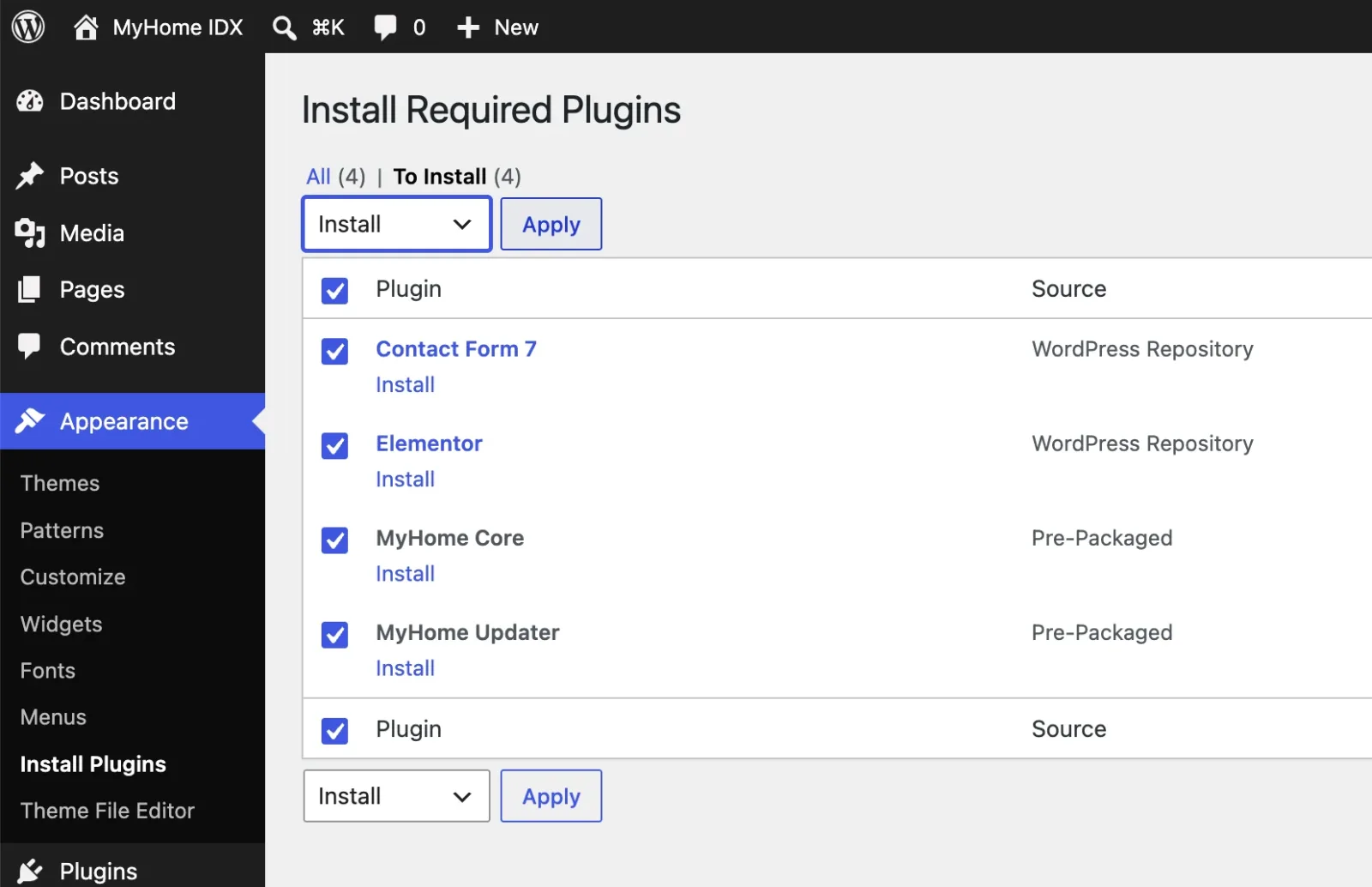
Select all four and apply
Tick the checkbox in the header row to select all four at once, leave the dropdown on Install and click Apply. No need to do them one by one.
-
3
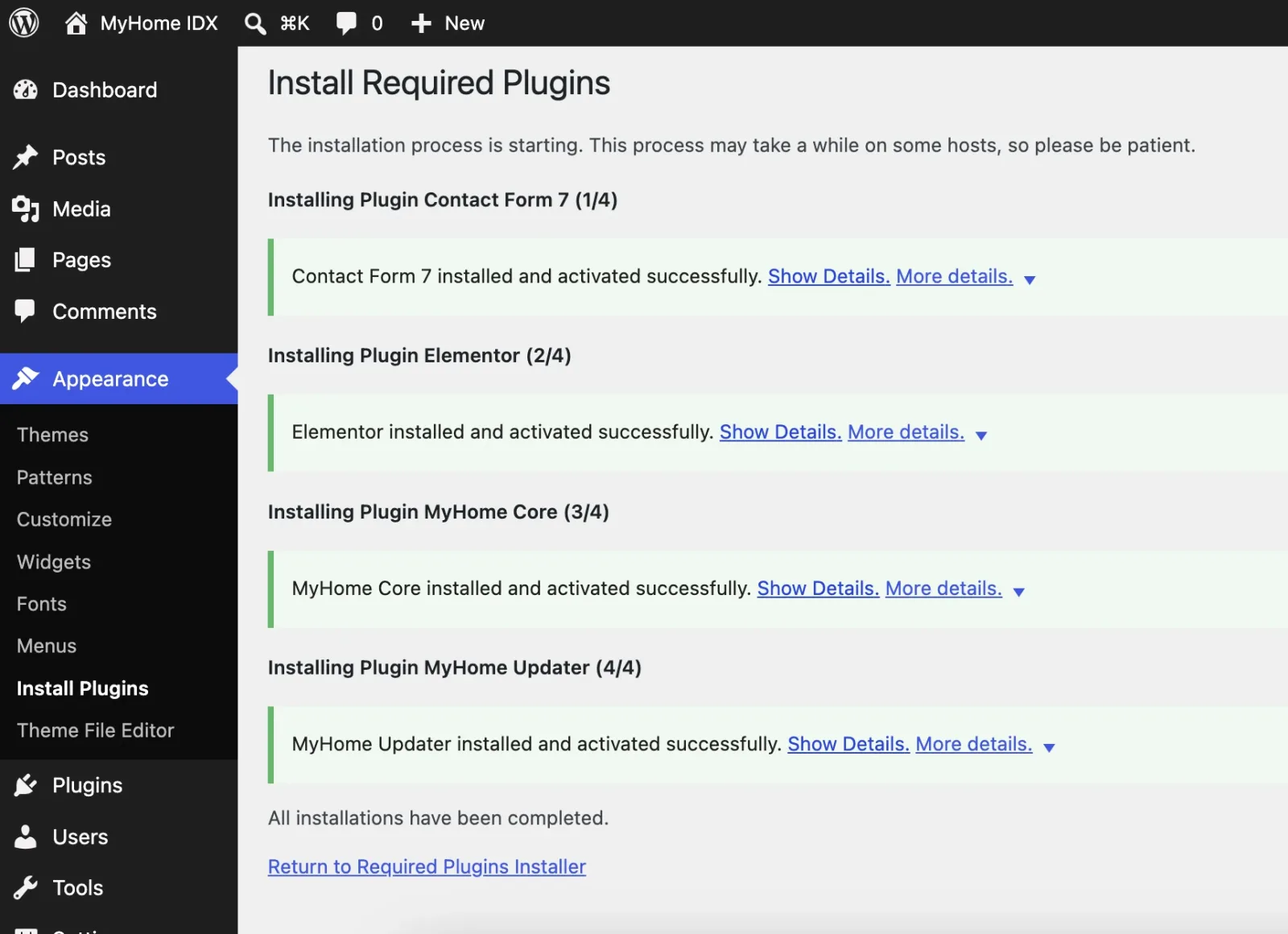
Let the installer run
WordPress downloads and installs each plugin in turn and reports on each one. On a slower server this takes a minute, so let it finish. When you see that all installations have been completed, click Return to Required Plugins Installer.
-
4
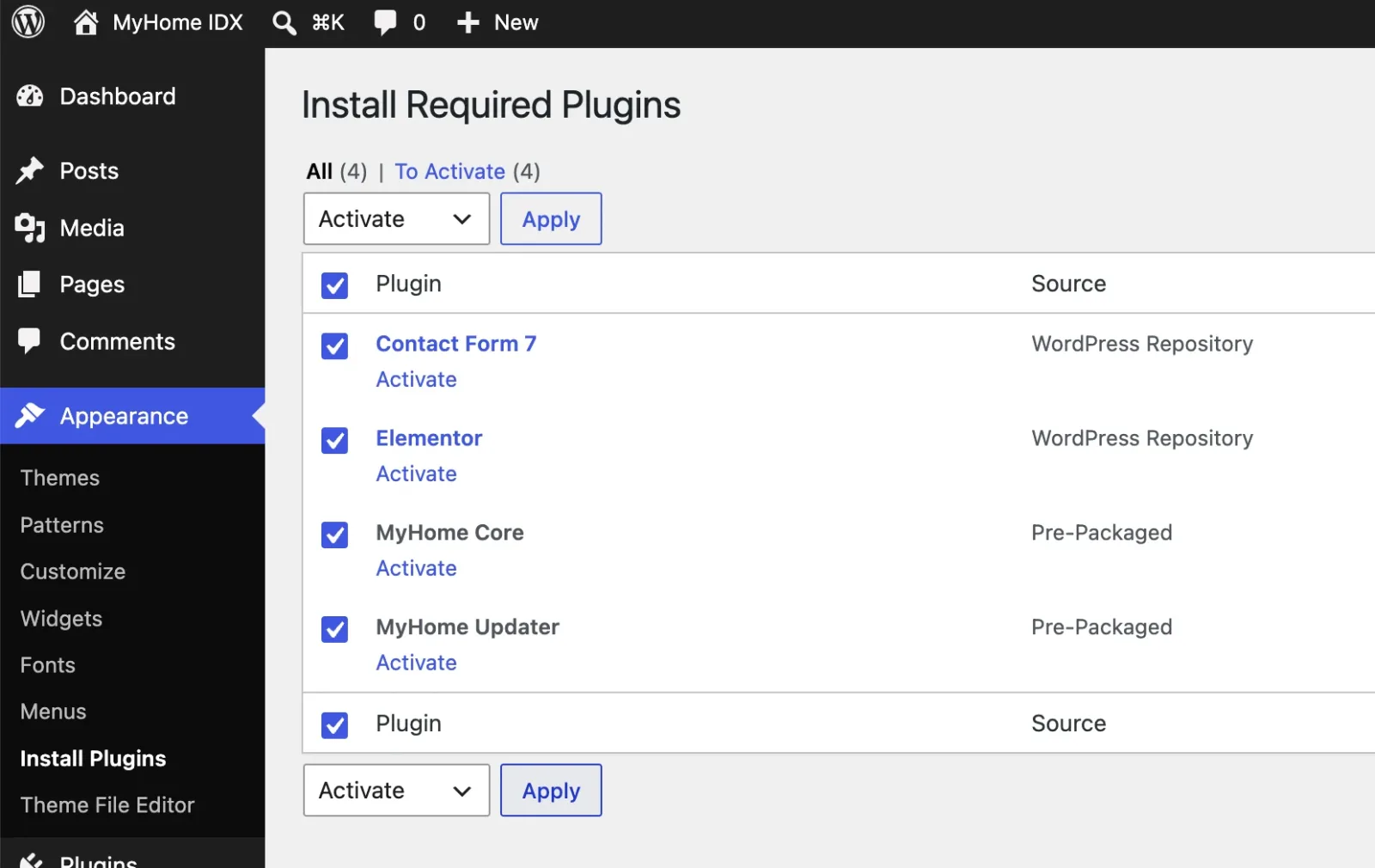
Activate them
The same list comes back, this time with To Activate. Select all four again, switch the dropdown to Activate and click Apply.
Check your new menu
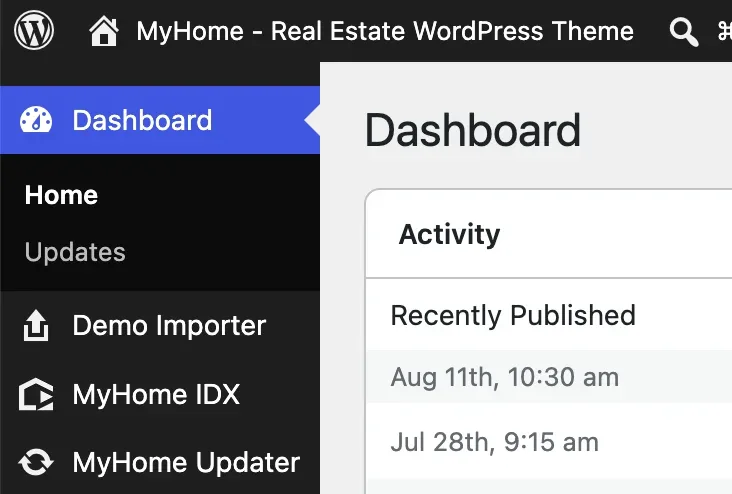
Go to Dashboard and look at the sidebar. The theme has added its own entries near the top.
- Demo Importer brings in a complete ready site to edit, your next step.
- MyHome Panel holds the theme settings, header, footer, colors and typography.
- IDX / MLS Integration is where your IDX Broker account connects.
- MyHome Updater handles theme updates.
Import a demo
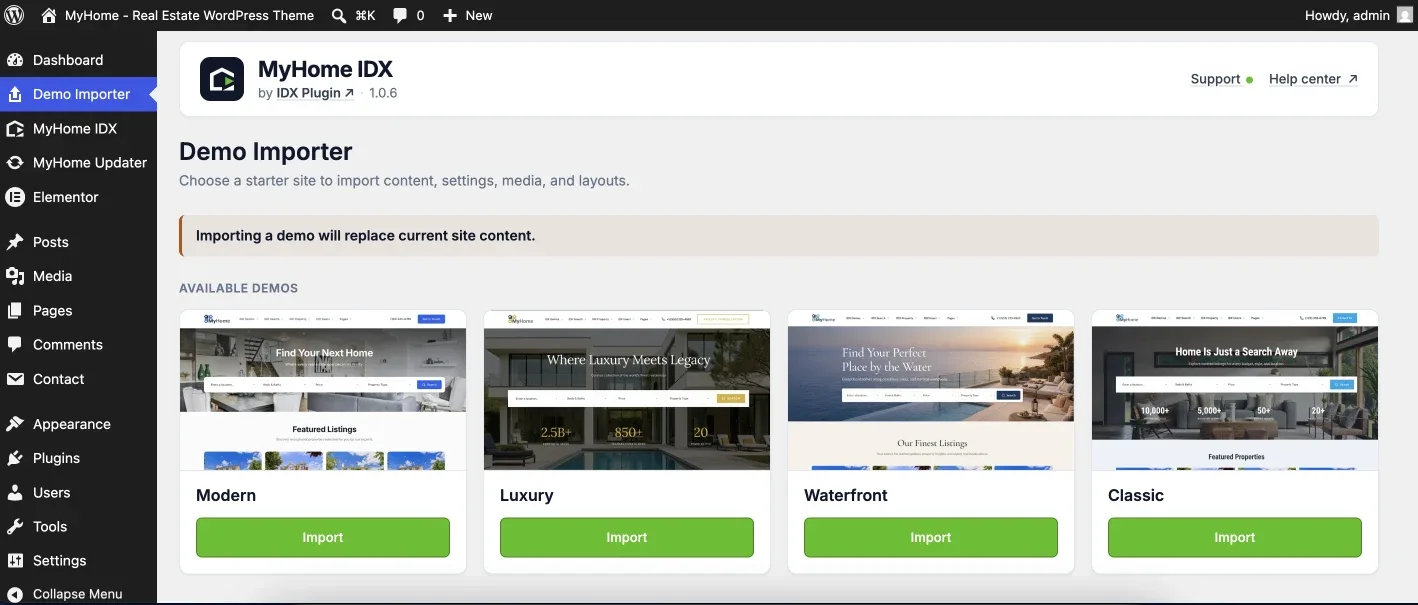
This step is part of the installation, not an extra. The theme arrives without content, so open Demo Importer and choose which starter site to build. One click and the demo creates the full structure, homepage, listing pages, agent pages and the supporting content, which you then edit in Elementor instead of starting from a blank screen.
Pick the one closest to how you work. Each preview opens the live version.
Modern
A clean, contemporary agent or team site. The safest starting point if you are not sure which one fits you.
Luxury
Built for high-end listings: darker, more editorial, with more room given to photography.
Waterfront
Made for coastal and vacation markets, where location and lifestyle sell the property.
Classic
A straightforward, familiar real estate look. Everything where buyers expect it to be.
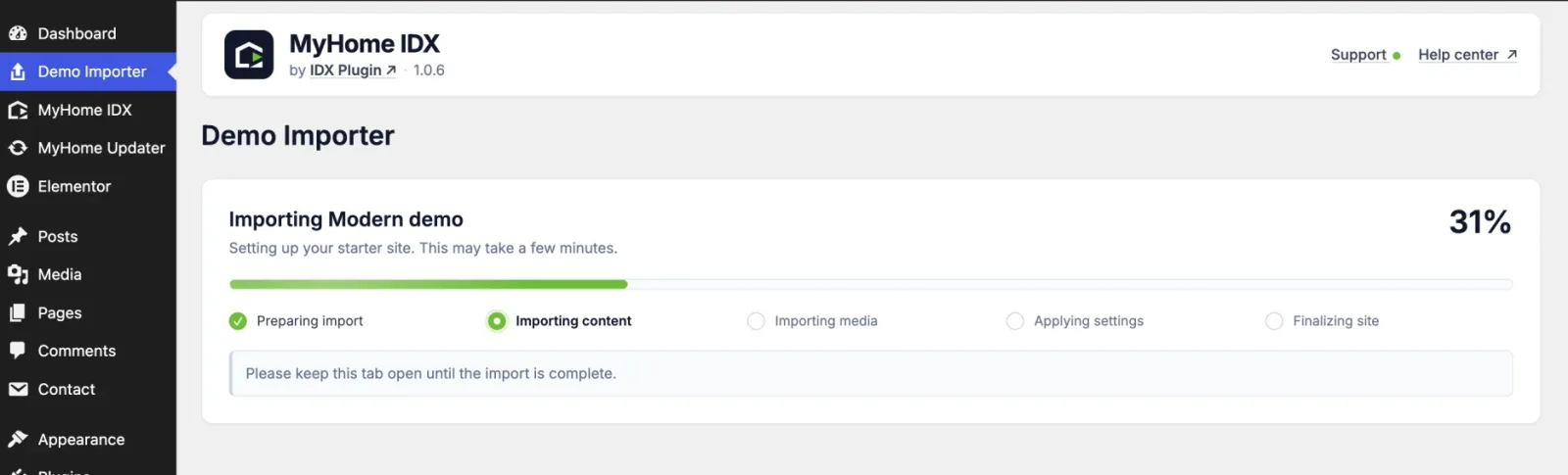
Click Import on the one you picked and the importer takes it from there. It works through the content, the media, the settings and a final pass, and shows you which stage it is on. Keep the tab open until it finishes, on a slower server it can take a few minutes.
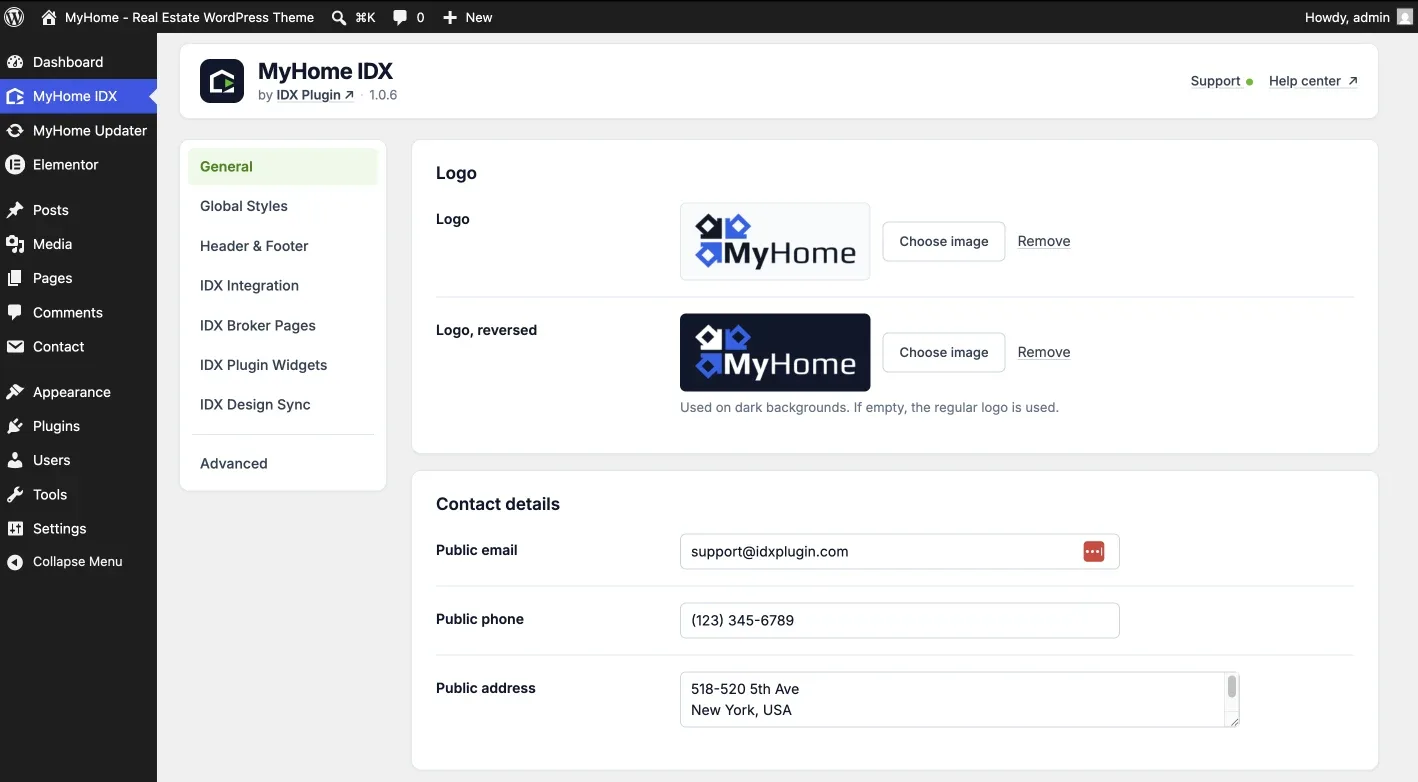
When it is done the theme takes you to MyHome Panel, where the site settings live. Your pages, menus and sample listings are already in place, so this is where you start making the site yours, beginning with the logo and the homepage.
Connect your IDX Broker account
The site now looks finished but the properties are still sample content. Open IDX / MLS Integration and connect your account, and the search forms, listing widgets and property pages start running on live MLS data. The whole chain is covered in Connect IDX Plugin to MyHome.
Working with Elementor
Every page in MyHome IDX is an Elementor page. You open a page, drag sections and elements where you want them, and see the result as you edit. The imported demo gives you ready sections, hero areas, listing rows, agent blocks, so most work is rearranging and rewording rather than building from zero.
- Page content, sections and layout: edited in Elementor, page by page.
- Header, footer, colors and typography of the theme: set once in the theme settings.
- Everything IDX, search forms, listing cards and IDX pages: styled through Global Styles in your IDX Plugin dashboard.
- The free version of Elementor covers all of it, no paid upgrade required.
Common questions
Want us to install it for you?
Tell us where the site lives and we will put the theme, the plugins and the demo you like in place, then hand it back to you ready to edit.
Contact support → Free with your IDX Broker account. You only pay IDX Broker.