IDX Plugin for Squarespace
Start here if you have a Squarespace site and want your MLS listings on it, then follow each short guide in order.
Written by IDX Plugin, an independent IDX Broker Developer Partner, not affiliated with IDX Broker.
On this page
In short
- Add live listings to any Squarespace page, with no code to write.
- Set your colors once: search, cards and IDX pages all follow.
- Listings stay current on their own, nothing to update by hand.
- Needs a paid Squarespace plan, IDX Broker and IDX Plugin accounts.
Why add MLS listings to your Squarespace site
- The search form and listing cards sit right on your Squarespace pages.
- Listings come live from your IDX Broker account, with nothing to update by hand.
- IDX Broker serves the data, so it adds no weight to your own site.
- Leads from the search and the contact forms land in your IDX Broker account.
How IDX Broker and IDX Plugin work together on Squarespace
IDX Broker is your MLS connection. It pulls in listings, updates them and generates search pages, property details and map views, all hosted on secure servers. Squarespace displays that content through embedded widgets.
IDX Plugin adds its own search forms and listing cards on top of that data, with colors, typography, spacing and effects set once in Global Styles in your IDX Plugin dashboard. You need an IDX Broker account, with the $100 setup fee waived through us, a free IDX Plugin account, and a paid Squarespace plan that allows adding code.
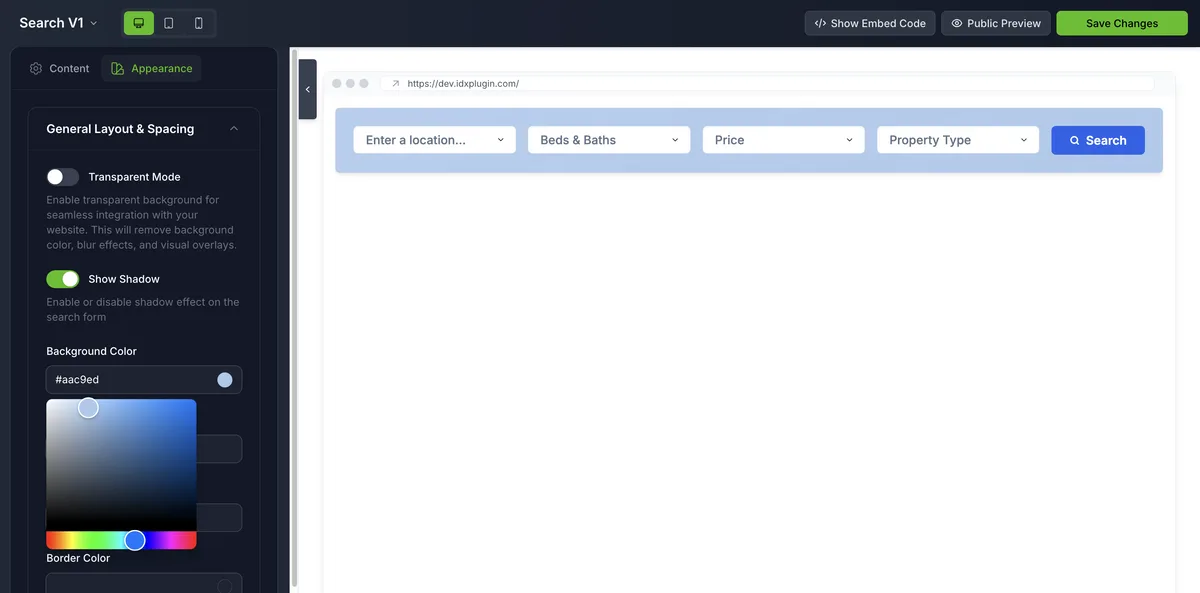
Build it in three steps
1. Add a search form
A live MLS search form goes into a Squarespace Embed block in a few minutes, usually in the hero section or just below it. The exact clicks are in Add an IDX Search Form to Squarespace.
2. Add listing widgets
Live listing cards can sit on the homepage, community pages or any page you build, filtered by location, price or property type. Add Listing Widgets to Squarespace shows the whole flow, grid and carousel alike.
3. Make the IDX pages match
Every search leads to the pages IDX Broker generates: results, single listings, lead forms. You select our templates for them, a few minutes of clicking and no code, as covered in IDX Property Pages and Your Squarespace Site and How Our IDX Broker Templates Work. You can see the whole thing live on our demo site, from the search form through to a property page.
Style everything once
Colors, fonts, spacing and corners live in Global Styles. Set them once, so the search form, the listing cards and the IDX pages all carry your own branding. Single widgets can still be fine-tuned on their own.
Ready to get started?
Create a free IDX Plugin account and start adding widgets to your Squarespace site today. If you get stuck at any step, our team will help you through the setup.
Get Started, it's free You only pay IDX Broker. The $100 setup fee is waived through us.