Listing Carousel, Setup and Options
Setup steps for the carousel, plus when a row of cards serves a page better than the grid.
Written by IDX Plugin, an independent IDX Broker Developer Partner, not affiliated with IDX Broker.
On this page
In short
- One row of live listings, for sections where space is tight.
- Each embed shows only the listings you filter for.
- Cards pick up your brand from Global Styles.
- Listings come live from your IDX Broker account.
What the Carousel is
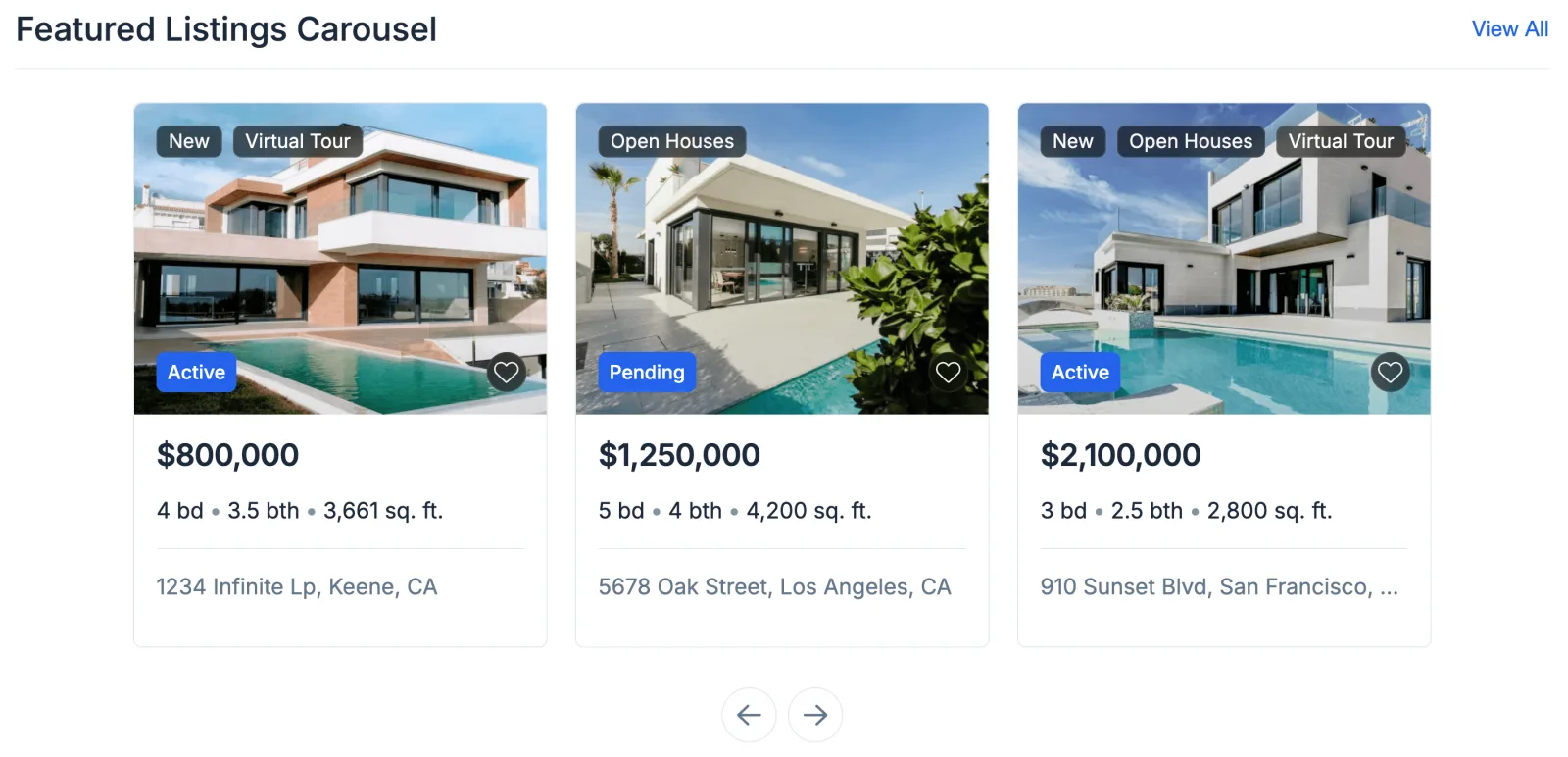
The Listing Carousel shows the same cards as the grid, arranged in one horizontal row with navigation arrows. It puts live listings on the page without taking much vertical space, and its height stays consistent and self-contained. It is one of the two widgets described in Listing Widgets, Which One to Use.
This is the real carousel, running live below on our demo account. Use the arrows to move through current MLS listings, and clicking a card opens the property on our demo site.
Set it up
-
1
Open the widget
In your dashboard, click Edit on one of the ready listing widgets, or create a new carousel widget of your own.

-
2
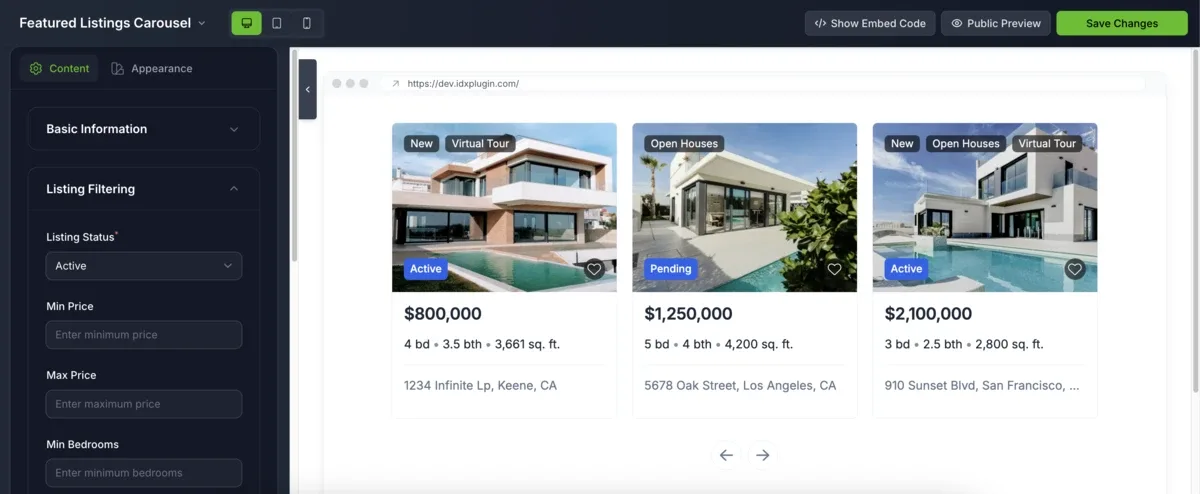
Filter and shape the row
Filter by status, price, location, beds and baths, or use custom IDX Broker query parameters. Then tune the appearance: spacing, image ratio, label styles and which details appear on the card.
-
3
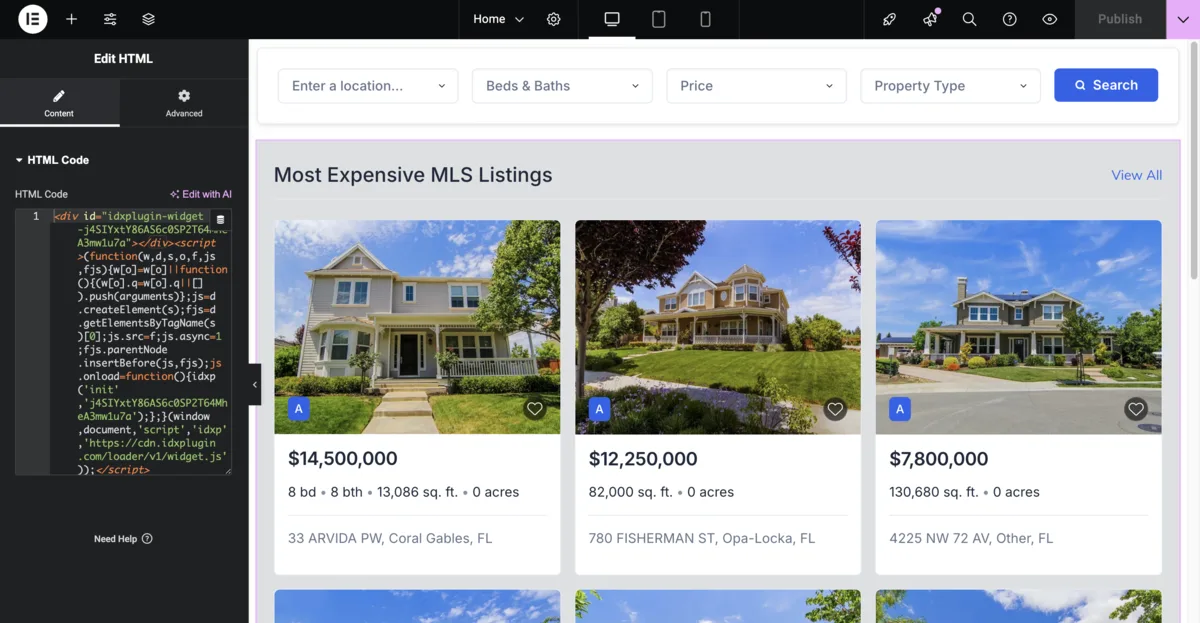
Copy the embed code
Click Show Embed Code and copy the snippet.
-
4
Paste it on your page
Paste the code into your platform's HTML element, as shown in Find and Paste Your IDX Embed Codes. The platform categories have the exact clicks for each editor.
When to pick it over the grid
Reach for the carousel when the section is tight or when listings share the page with other content. Wix pages are a common case, as explained in Add Listing Widgets to Wix. When listings are the whole point of the page, the Listing Showcase grid usually serves better.
Already on IDX Broker? Try the carousel on your own listings.
Create a free IDX Plugin account, add your IDX Broker API key, and the styled carousel is ready in your dashboard, filled with your own listings.
See it on your own listings No extra invoice. You only pay IDX Broker.