Edit the Menu on Your MyHome IDX Site
Edit the menu that came with your demo, and style the bar it sits in.
Written by IDX Plugin, an independent IDX Broker Developer Partner, not affiliated with IDX Broker.
On this page
In short
- The imported demo already has a menu, IDX pages included.
- It is the standard WordPress menu editor, plus one IDX box.
- Height, fonts and colors of the bar are set in the layout.
- Edit the menu, then clear the cache for your IDX pages.
It is the classic WordPress menu
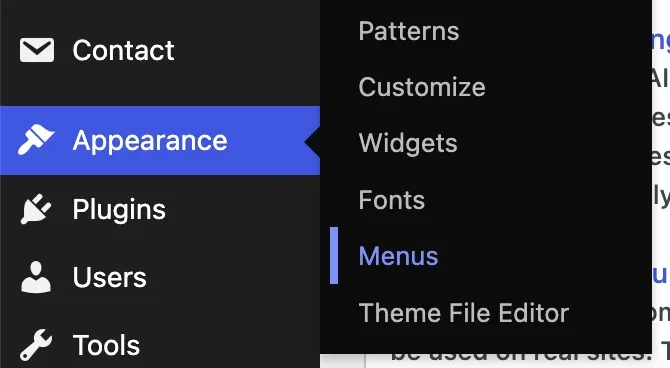
The demo import comes with a working menu. It sits in Appearance then Menus, the standard WordPress editor.
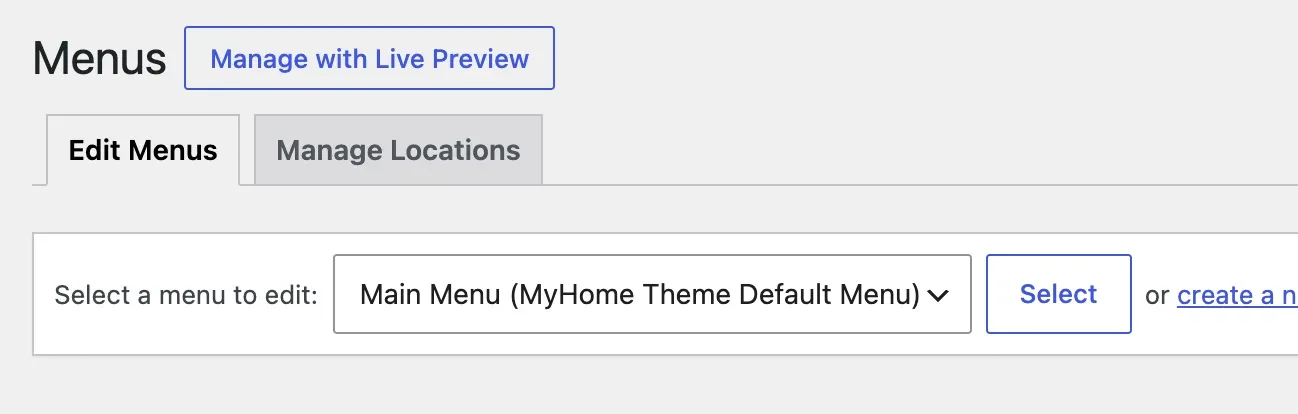
A site carries more than one menu, so pick yours under Select a menu to edit and click Select before changing anything.
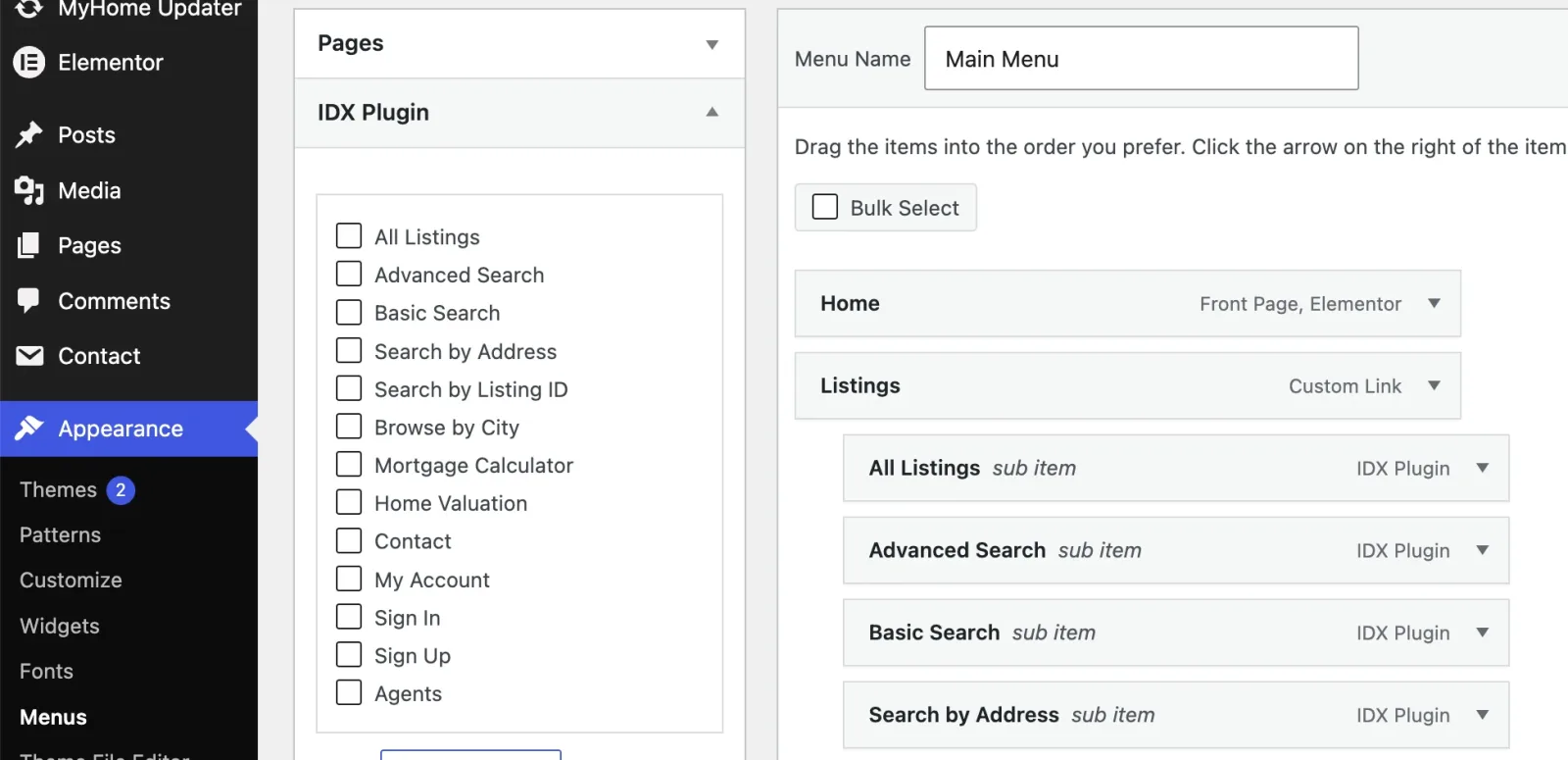
The IDX Plugin box
IDX Plugin lists your IDX Broker pages as ready menu items, and the demo already has several in place. The full click path is in Add IDX Pages to Your Site Menu.
Size, fonts and colors are set in the layout
Nothing on the Menus screen changes how the menu looks. Browsing any page as an administrator, open Edit with Elementor in the toolbar and choose Layout.
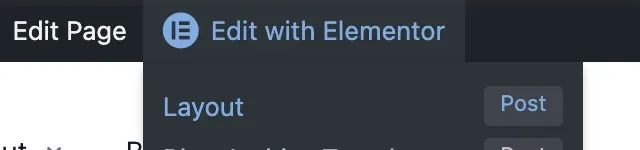
From wp-admin the same layout opens under MyHome IDX then Header & Footer, with Edit on it. Either way, click the header on the canvas to open its settings.
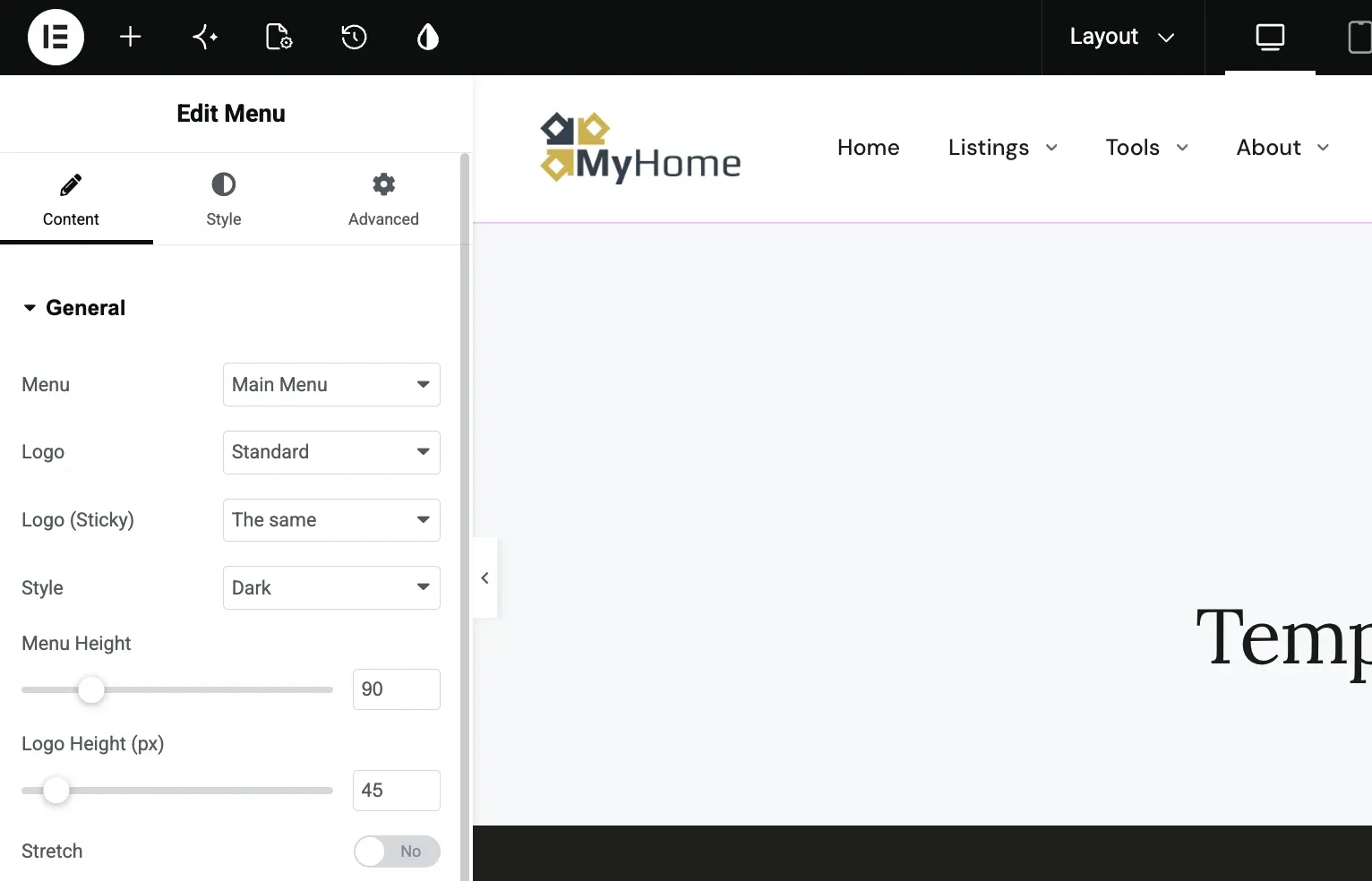
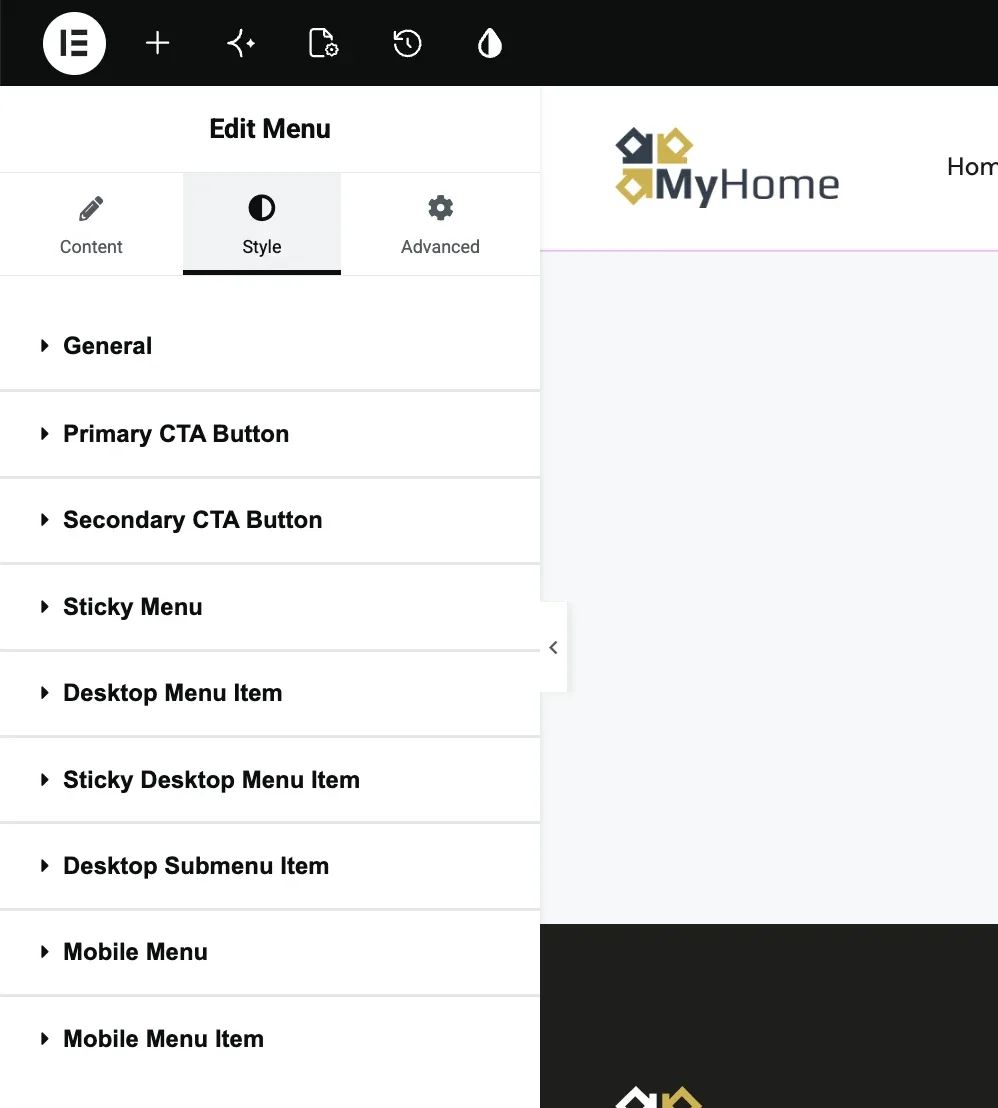
Content decides which menu is shown, which logo, light or dark style, the height of the bar and of the logo, and the width below which the mobile menu takes over. Style holds the appearance, one section per part of the menu.
- General, background of the bar, bottom border, hamburger icon.
- Desktop Menu Item and Desktop Submenu Item, typography and colors of the links.
- Sticky Menu and Sticky Desktop Menu Item, the bar once it sticks to the top.
- Mobile Menu and Mobile Menu Item, the panel below the breakpoint.
- Primary CTA Button and Secondary CTA Button, the phone number and the button on the right.
The logo
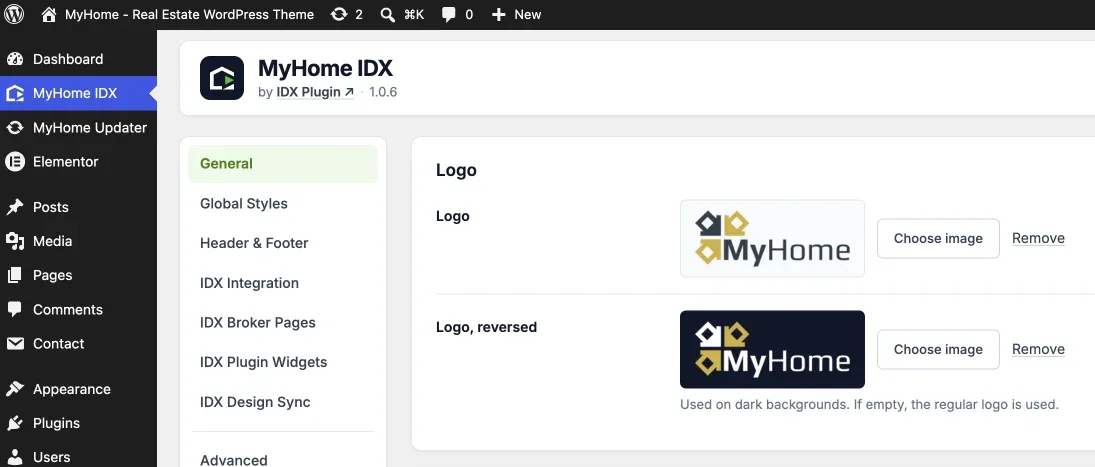
The logo is site-wide, in MyHome IDX then General. Logo is the regular one and Logo, reversed the version for dark backgrounds. If the reversed one is empty, the regular logo is used.
On the header widget, Logo picks which of the two this header shows, and Logo (Sticky) does the same for the bar once it sticks.
The menu on your IDX Broker pages
Your IDX Broker pages render inside one of your layouts, so they carry the same header and menu. The layout is already picked; change it on IDX Broker Pages if you want a different one.
They do not update straight away. After changing the menu, open MyHome IDX then IDX Design Sync and click Clear IDX Broker cache. If there is no header at all, see IDX Pages Missing Your Header and Footer.
Want the menu shaped for you?
Tell us what your visitors should be able to reach and we build the structure with you, header styling included. It comes with your IDX Broker account.
Contact support Support runs by email.